jDrones News: jD-IOBoard v1.0 update
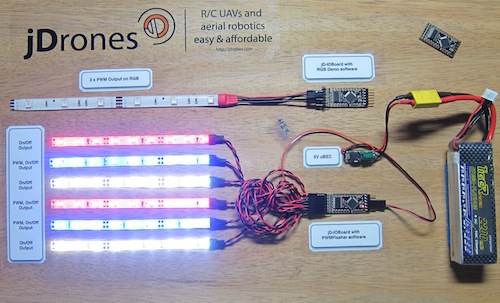
You had some problems on driving LED strips or something else?? Well no problems anymore.... We have seen people making all type of darlington/transistor and similar hacks to drive their LEDs, Sirens and so on but they all need a lot of hacking and they might not be suitable for long term solution.
We answered on this call and made fully Arduino compatible called jD-IOBoard that can run Single LEDs, LED Strips, Loudspeakers, Buzzers, Power switches and so on. It's upto your own imagination on what all you can control with this board.
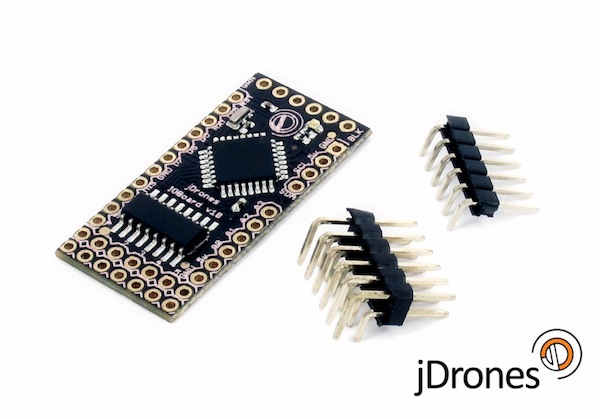
So what does this board actually do?? It has fully Arduino compatible ATMEGA 328 MCU and Darlington array to driver high power outputs. Also I2C pins are exposed and same as many TTL level IO and Analog pins. As you can see from picture above.
Board has:
- 6 x High power outputs, max. 500mAh / 50 Volts
- 4 x Analog inputs (6 if you don't use I2C port)
- I2C port for controlling, listening I2C messages
- 6 x TTL level GPIO pins (8 if you don't use FTDI)
- 1 x FTDI port
3 high power outputs can also be controlled by PWM output while another 3 are just normal "On/Off" outputs
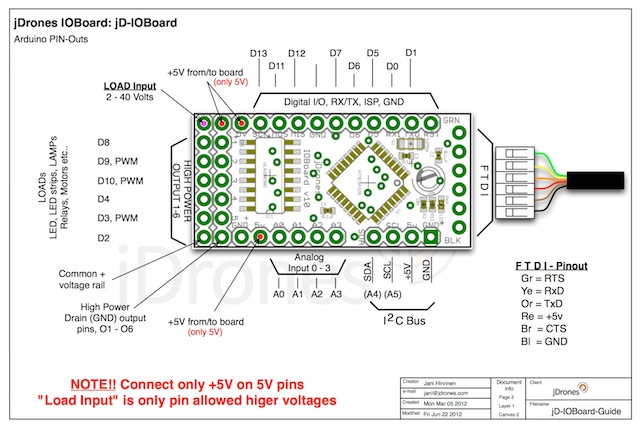
How those Arduino pinouts looks like:
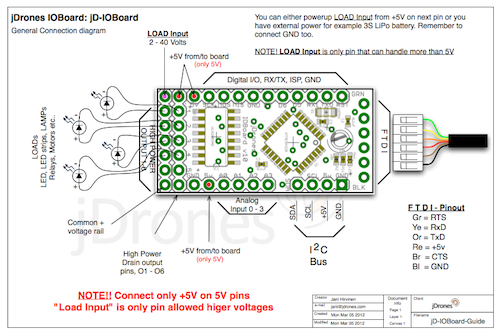
Connecting LED's,Buzzers etc is really simple. Just use one of output pins on end of the board. Below you can see examples on how to connect LEDs or LED Strips on it.
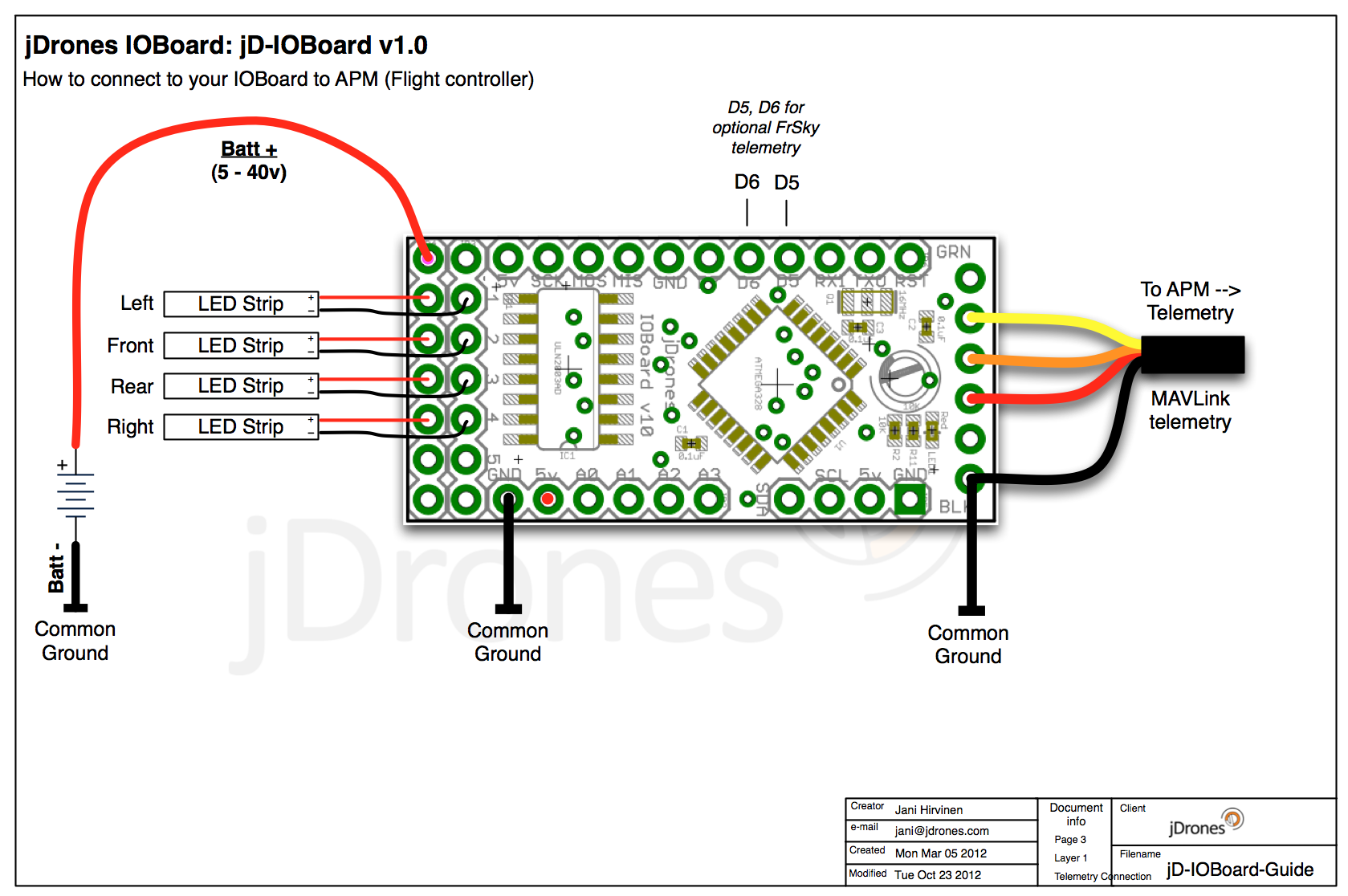
Pictures does not give enough credit for how it works so we made small video to show just few examples on how to use it. There are many other ways to do it but this should give at least some idea what/how to run it. So have fun watching it.
Get yours from jDrones Store: jD-IOBoard and have a blink blink.
Ps. There are some nice features coming to this board shortly...

Comments
I have the same error. The configurator tool never worked. I was never able to upload to the board.
The host I use is the same host I use with my QuadCopter's APM 2.0 controller. Everything works fine with that.
My board doesn't work at all. I use my desktop system to program other arduino boards.
All I get is the 5v power led lit when I plug my ftdi cable in.
Nothing more.
hi jani, still not able to make my ioboard work. i loaded the sample code in your google codes using arduino IDE022. the uploading was ok. the jdrones ioboard configurator utility reads and writes to the board perfectly. but my LED' s are NOT blinking in standalone mode. i have given 12V to LED input pin and 5V to ioboard with common GND. pls let me know what i have to do for it to blink in stand alone mode.
Hi, It appears my bootloader is not intact on my jd ioboard. I wonder if the new xray equipment that's being deployed at airports is killing the firmware. Jani the I bought the ftdi cable from the JDRONES site. I am using 57600 baud, com6. FTDI driver version 2.08.24 built by WinDDK is that the correct version ?
I've got an older arduino here. Can I use that to burn the bootloader via the bitbang mode ?
Here' what I used last time I wanted to burn a stock atmega on my board:
http://www.geocities.jp/arduino_diecimila/bootloader/index_en.html
Here's how I wire the ftdi cable to the atmega:
miso = 3; # CTS X3(1)
sck = 5; # DSR X3(2)
mosi = 6; # DCD X3(3)
reset = 7; # RI X3(4)
The other issue is maybe the ftdi driver has issues with windows 7 ? What driver do you use ?
hi jani, can u give a sample code in which LED's blink without list listening to I2C port. i mean standalone mode.
jb, you connect IOBoard to APM1/2/2.5 just like Xbee and OSD boards. Eg to telemetry port. It listens normal telemetry port MAVLink messages and acts accordingly.
With a configurator program you can define different pattern to be used on certain flight modes. Look download area on Arducodes repository and you will find configurator program.
Check out www.jdrones.com/jDoc too to have more information on it. We will add more schematics and pictures on how to connect that
Just a dumb question,
I've ordered one jD-IOBoard yesterday and I'm waiting it to arrive but in the meantime I am trying to discover how to connect it to the APM2 to change light sequence according to flying mode but didn't realized how to connect it.
Maybe in parallel with the Xbee to listen for MAVLINK commads? A page on the Wiki with detailed connection schemes would be nice!
hi jani, can u please let me know which ardunino code you have loaded in the demo example above in this forum video so that the LED's can glow sequentially with out any MAVlink input (stand alone) or I2C input.
That sounds really strange. I don't see how configurator could kill bootloader but yes it looks like your bootloader got erased/broken.
You can update small test sketch to test it again. Just use this
long counter;
void setup() {
Serial.begin(57600);
}
void loop() {
Serial.println(counter);
counter++;
}
Try to upload that and open serial monitor with 57600 baud. Check that you have correct FTDI cable.
If nothing else, please upload bootloader on it and test again. We will try to find ways to "break" BL here too on our normal boards and Arduino mini pro boards as these are fully compatible with mini pro's.
@Ravi & all. Use Arduinio Mini Pro if you are using Arduino IDE to upload softwares on IOBoard.
@Monroe, yes it is possible to control relays or other things with IOBoard. Also additional sensors is possible to add on it. It has Analog pins exposed and also I2C that you can use. Current software does not have support for external sensors but source code is on our repository so you can easily modify it. As MAVLink allows extra commands in it, it will be easy to make IOBoard to understand those too.
@Jonathan, There seems to be some software problem that affects both IOBoard and OSD boards. This is related to Arduino TK libraries that me and Michael are using on those Configurator programs. We are working on this case. In mean while if you have problems to upload, you can always upload with Arduino IDE.
-
11
-
12
-
13
-
14
-
15
of 15 Next