This week I was busy making a propeller hub for the Radian pro propeller blades and welded the motor mount to the aluminum spine that is going to run down the center of the Multiplex easy Star . The Radian pro motor is a tractor motor. So rather than turn it around and mount it on the Easy Star and run it backwards causing the motor to pull against the mounting bolts and possible issues pulling a internal thrust bearing the wrong way I cut the motor shaft off mounted it the right way around and made a propeller hub for the folding blades that mounts on and pushes against the back of the motor (I was thinking of taking it over to the tire place and see if they could balance it? he he) if it doesn't work I will go out and buy a proper motor and prop. I also cut out the Flaperons for the wings I am going to look into wing stiffening and since I fly out my back door I can make the wing attached to the plane one piece You Guys Have a Great Day!
All Posts (11086)
Sort by
From The Verge:
Researchers from the University of Pennsylvania have created a bird-like claw that can be attached to an unmanned aerial vehicle (UAV) to enable it to pick up objects at high speed. Inspired by how an eagle uses its talons to grab prey, the team crafted a three-fingered claw using 3D printing and attached it to a 4-inch long motorized arm. The drone is able to use the system to pick up stationary objects flying at three meters (almost ten feet) per second.
In the future, the team wants its machine to be able to react automatically to environmental changes using an on-board camera. It hopes the camera will allow the drone to make in-flight adjustments when attempting a pickup. The researchers are also considering programming it to detect places where it can make a controlled landing and "perch" to cut down on noise and save energy.
(hat tip to Sonal for the link)
Week end. Friday.
Primus fuse remove from building slip.
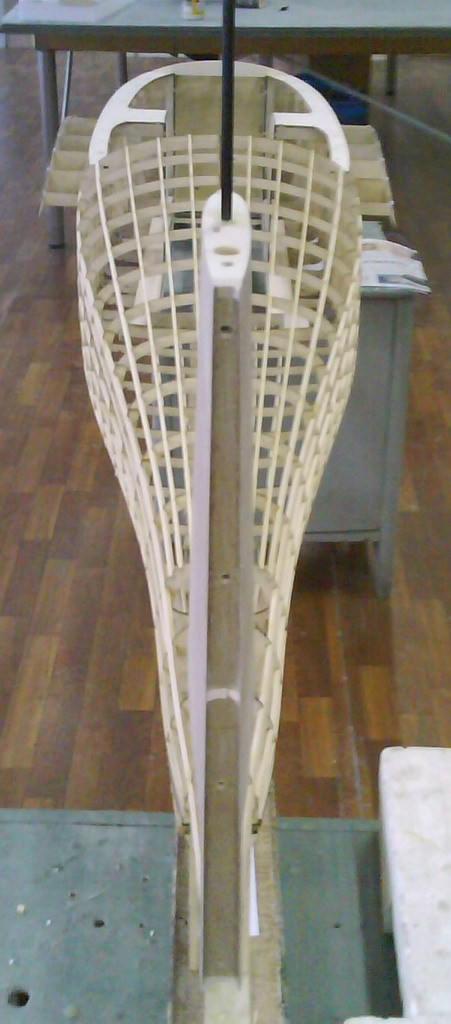
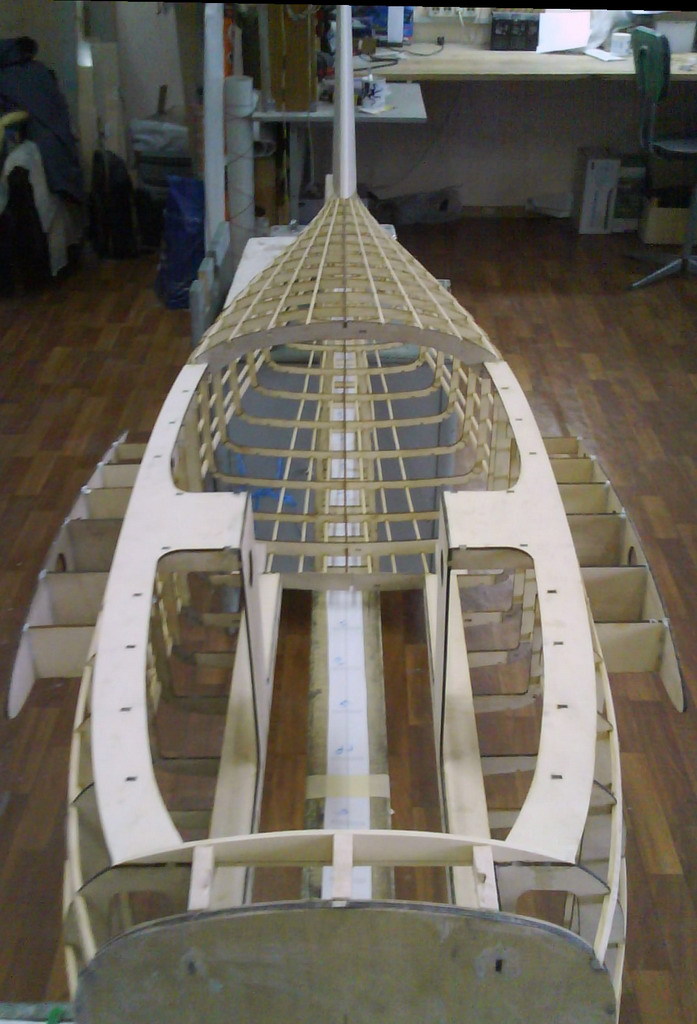
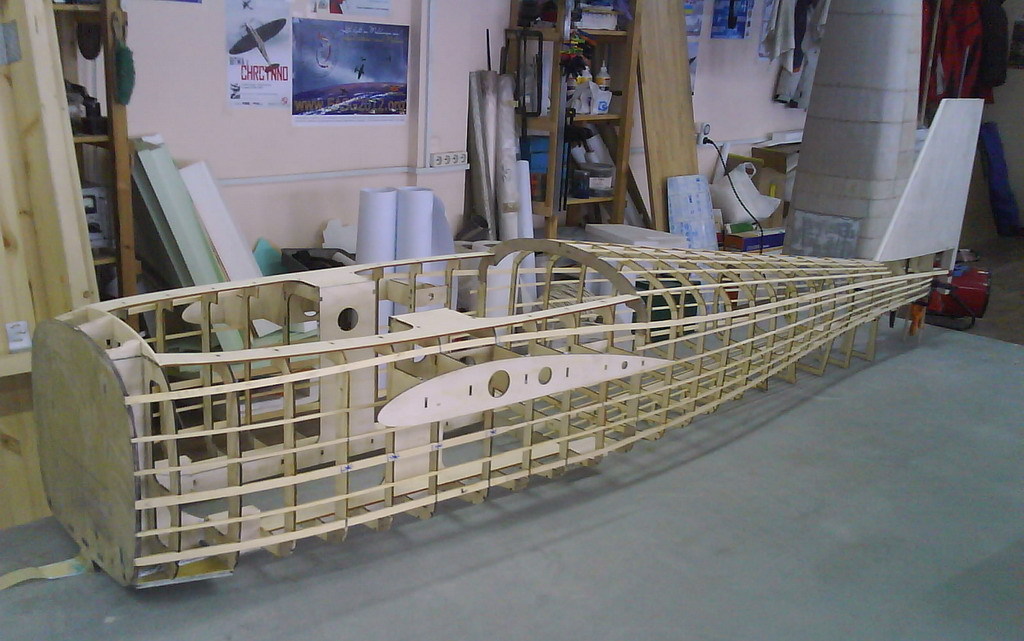
Looking small, but still have over 2 meters. :)
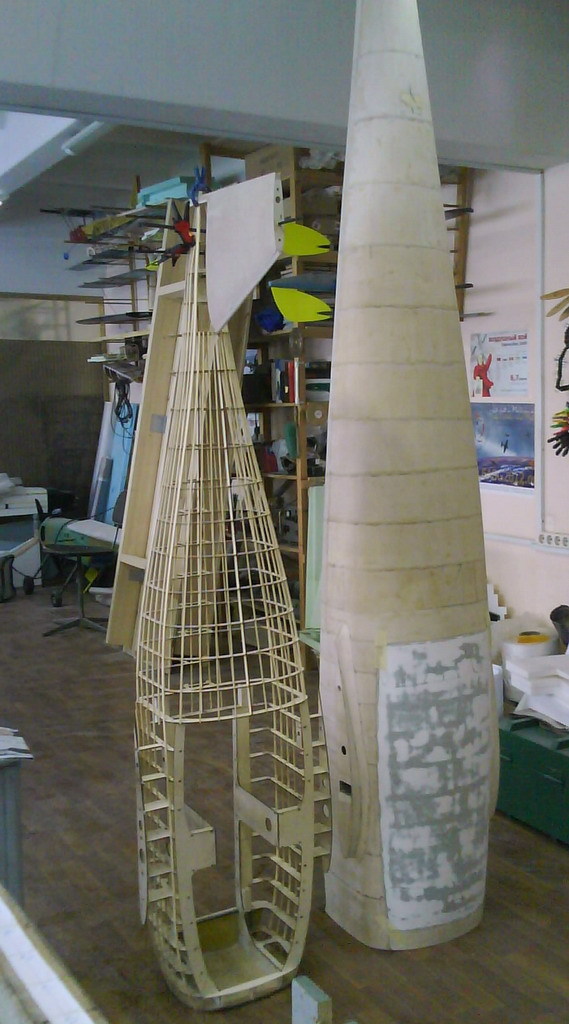

Image: wikimedia.org - CC-BY-SA
Being slightly annoyed by recent posts that just show off but don't share information and trying to find an optimal long-endurance setup myself at the moment, I decided to create a multicopter setup list in my blog. Some of you might know my X8 setup list where I started to collect efficient X8 setups. This multicopter setup list is basically the same idea. Everybody who likes to share can email me his setup which I will then put to the list. The list will be sorted by endurance, long endurance first, and grouped by the type, e.g. tri, quad, hex, etc.
I hope, after a short while, we will have a comprehensive list which should be a help for newbies as well as for experienced hobbyists to determine an efficient setup.
The list is up at http://stefan.gofferje.net/projects/uav-projects/multicopter-setup-list (nothing in it yet, though).
If you'd like to share and your copter can go >20 minutes in flight or >30 minutes in hover, please email your setup to multicopter-setup@gofferje.net. In this email, please provide all data which is shown in the list. If possible, please provide links to the components used. Please also tell, what you use the multicopter for (hobby, professional, SAR, etc.). You can also provide additional information, like a link to your DIY-Drones profile. Please also tell, if and what contact information you would like to see published with your setup.
Of course, I'm also open to suggestions regarding the structure of the list.
As a follow up to an indoor test we did a about a month ago (blog post here), Assistant Professor Nagatani-san of Tohoku University, Izu-san of EnRoute (a primarily Japan based RC company) and I tested dropping a 2.5kg rover from a 4kg Hexacopter outfitted with an APM2.5 running ArduCopter 2.9.1. The test was done on the side of a semi-active volcano, Shinmoe which is in Kyushu, Japan.
The flight was all in Loiter mode with the release of the Rover via a servo controlled by the Camera Shutter function attached to channel 7 on the transmitter. The pilot (me) was positioned right near where the video was shot from.
Basically it worked but there we hit a number of issues:
- AC 2.9.1's Loiter has a 5m radius deadband meaning it moves back to it's original target unless you move more than 5m away (from the target). This meant that repositioning the copter precisely was quite difficult.
- As it was shot on the side of a Volcano at >1100m elevation, the wind was relatively strong and pushed the copter around at times.
- the release mechanism for the rover was slightly damaged in transport meaning it took multiple attempts to get it to release.
Next time we will try to do it fully autonomously.
We also took the opportunity to fly a separate large Quad outfitted with a 10000mAh battery up for a view of the crater. The flight took about 12min but it could have flown at least another 5min. Problems we hit included:
- Like the large rover-carrying-hexa this quad had very large propellers which could be caught by the wind at times meaning the controller had a lot of work to do to keep it upright at times.
- Arducopter 2.9.1 has a bug in that it proceeds to the next waypoint once it's reached the target lat/lon. This is fine for mostly horizontal flights but it's serious trouble for a flight like this in which the vertical component takes longer than the horizontal. The solution was to set the target take-off altitude to 150m and reduce the WP_SPEED to 2m. We ended up overdoing it so we flew the mission higher and more slowly than necessary.
Still, it did the mission as planned.
All feedback welcome!
As is customary and traditional, we celebrate every new 1,000 members here and share the traffic stats. This time it's 36,000!
There were 2 million page views this month (we get over 70,000 page views a day). It took us just 21 days to get this latest 1,000 members--we're averaging about one new member every 30 minutes.
Thanks as always to all the community members who make this growth possible, and especially the moderators who approve membership applications and blog posts and otherwise answer questions and keep things ticking here. We've got about 70 moderators now, but if anyone would like to join this group, please PM me. If you've been here for a while and have been participating, you'll fit in great.
125 min (02:05:07) ultra-long flight (#2)
now on one battery pack :)
sorry, closed hardware setup
Sparkfun has posted rules, walkthrough video, registration for the 2013 AVC.
Both air and ground competitions should be really interesting. The ground course is slightly shorter than previous years, and features fixed, known locations for barrels, the bonus hoop, and the ramp (my robot Data Bus is going to to *love* that feature)
Air competition is primarily over water! And features a wicket hoop thingy to fly under for a bonus, required autonomous takeoff, and a bonus autonomous tennis ball drop.
Scoring is points based with a starting pool of points to which bonus points are added, and time (seconds) is subtracted.
This application is being developed to provide another avenue for the control of micro-uav systems. The application incorporates a LRS radio and the ability to read MAVLINK generated feeds. A host of other features are being incorporated and more details/videos will be provided.
A number of years ago while I was doing research for a little story I was working on I stumbled upon DIY Drones and, later, sUAS News. Hanging out on the DIY Drones forum, building my own amateur UAV and other life-changing events became distractions to finishing my story. Well, I finally got around to doing just that, i.e. finishing it.
This has very much been a DIY effort from writing the story, to putting together the simple cover, to self-publishing and on to self-marketing. It has taken a little while, but I have finally received enough feedback that I no longer worry about having embarrassed myself with my first book.
I have never been able to contribute much to this community in a technical sense, but maybe I can provide the entertainment--although I fear that some of my less intelligent posts have already done that. In any case, using the coupon code below you can download a free copy of my book from Smashwords in any number of e-book formats. While it's intended for the young reader, adults have found it entertaining. Indeed, below is some of their feedback.
Happy reading!
Paul
Coupon Code: QQ26W
Click HERE for book on Smashwords.
Reader feedback:
From Amazon -- 4 stars; "I mainly read to see how well the author did the drone technical details. He did a really good job explaining the workings of the model aircraft drone. I quite liked the book."
From Facebook -- "I read LITTLE EYE IN A BIG SKY and thoroughly enjoyed it! It would be well worth anyone with a young reader in the family to purchase. If the young reader in your family has a scientific bent they will really enjoy it. Has something for the mystery lover as well as a teenage friendship/crush story line. I plan to get it for my great-niece who loves to read and is 13."
(Ref.: previous DroneSpeak announcement blog post)
The above diagram, a view of a system model, was developed with the DroneSpeak Vocabulary to illustrate the boundary, major components and interactions of a generic unmanned aerial-vehicle system (UAS).
In the diagram below, we added photos as examples of components of a real-world UAS that has some basic capabilities.
The photo of a custom-designed quadcopter with autopilot is an example of an unmanned aerial vehicle (UAV). The Global Positioning System (GPS) is an example of an external, human-made system on which this UAV depends (in part) for navigation. The remote control radio, spare LiPo battery, and a mobile phone constitute an example UAS management system (which could include many more components). And those feet... represent a UAS participant who is responsible for where that UAV goes, and what it does while it is moving through airspace.
If we see enough support for enhancing the DroneSpeak web site, we intend to develop similar system models and views, with vocabularies for six (6) other categories of unmanned vehicle systems (UVS). The hierarchy of DroneSpeak Terms for a UAS can be used now to tag DIY Drones blog posts and discussions.
This blog post has been tagged with: dronespeak, unmanned-aerial-vehicle-system-(UAS)
Have a fabulous day out there!
- John Githens and Doug (R.D.) Starwalt
Where I've already seen...

This team entered this at the fun South by Southwest DroneGames that I was at this year, and one won (thanks for the catch, Martha) a special "cultural award" for best meme-surfing. You can see some of the other DroneGames contestants and winners here.
From the wrapup:
Who says drones have no personality? At this year’s Drone Games, drones danced the harlem shake, responded to humans chicken dancing, and rebooted other dancing drones.
Team GroupOn won the event with their hand gesture controlled drone. The team at Eyes and Ears Entertainment built a drone that was so awesome, it inspired the judges to invent a new award just for them.
Here’s what the five teams built. Check out photos of the Drone Games on our Facebook page here.
The Drones
1) Austin based hackers Vitor and Dave Massey built a drone that flies higher when you flap harder. When Vitor and Dave flapped their “chicken wings” in front of a Kinect, the drone climbed.
2) The second team built an Arduino drone that uses a sonar sensor to map the room.
3) The folks from Eyes and Ears Entertainment, makers of the Twilio powered A$AP Rocky call-in hotline, built Copter Wolf, a drone that does the harlem shake.
4) Team Groupon built a drone controlled by a leap motion controller which allowed them to control their drone with simple hand gestures. With some slick lines of code, they had their drone in the air in no time.
5)Team Rackspace successfully unveiled their drone code-named “Project Yada Yada.” They programmed their drone to reboot the other sonar scanning, harlem shaking, chicken dancing drones.
Vice Magazine’s Drone even stopped by the Drone Games to say hi.

Here's some research models showing how the Pigeon Post System Smart Case and Smart Coop could interact.
Working with the Lego and magnet set up I have realised I need to redesign the smart case top/bottom to be square as the rectangle cross section adds the unneeded complication of orientation.
So what's next? I need some input into how the UAVs and Coops will grip the Smart Case. It will be a combination of a small neodymium disc magnet and a physical shape to grip onto. Should it be circular or help guide the case to orient the Case with the Pigeon?
Join in the discussion over on the UAV Delivery System forum.
As someone who got my start in drones with Lego Mindstorms, I can appreciate the work that went into this. Must watch.
From MAKE:
NXTLOG user hknssn13 built this amazing paper airplane machine. My favorite part is the 4th stage, where four linear actuators make the final folds in the airplane. It looks sick when the entire assembly rises up! The project uses 2 NXT microcontroller bricks, 5 servos, 10 DC motors, pneumatics, infrared, and a bunch of sensors.
Welcome back to my build log/experiences with this project.
After playing around with and figuring out where to put the various bits I went on to add the XBee headers, powercable and 3 pin RX header to the PX4IOAR:
At this point I will skip further as the assembly is well detailed in pictures on the PX4 website. I would add that getting the spacers in between the PX4FMU and IOAR is not entirely simple without 3 or more hands, but just fiddle in the white spacer first, then push down the screw through the FMU, one by one is probably one of the easier ways to do it.
Here is what you end up with after assembly: (zippo again for size - the quad is tiny!)
Ok, now we need to get this all fitted into the EPP foam body donor of the AR Drone, including the GPS and the FLOW.
Bottom view (I know the battery is a bit incorrect, I took only one pic of this)
In the above picture you can see both the cutout for the battery as well as that for the flow unit. I am not 100% sure yet that the sonar will not have issues, but I hope not. Would not want to mount it any lower as the lens will poke out then and strike ground if it comes down hard.
Topside GPS mount closeup, as you can see I cut out a flat plateau first, and then carved a smaller space in the middle for the cable and the chip etc on the bottom of the module:
It's ALIVE!!! Look at the pretty lights!
Next up at this point is to test everything together, get the startup script correctly set up etc, plus installing the FrSky receiver when my FrSky DR 4-II arrives.
Sharing some pics etc from my PX4FMU/AR Drone build.
I got the AR Drone carrier to be able to fly the PX4FMU inside to test small things whenever, plus the AR Drone airframe is very well suited to packed urban environments like where I live.
I do also plan on using the PX4FMU for other airframes, but it seemed sensible to get all the software bits working the way I want them to before I attempt to put the FC on an airframe I am unfamiliar with that may introduce it's own issues.
The components of the build:
AR Drone 1.0 (all control electronics and cameras removed)
PX4FMU
PX4IOAR
PX4FLOW
uBlox LEA-6 3DR GPS
Digi XBee Pro (will be testing different radios)
FrSky DR 4-II PPM (not in pictures, yet to arrive)
The goodies arrived in a small box: (zippo for size)
Here is the patient awaiting transplant next to the battery I will use:
Whats in the box?!
Just to detail some of what I did not expect: 5 -> 6 position DF13 cable included with PX4FLOW, also correct GPS cable included with PX4FMU.
Also included stickers with PX4 logo, plus branded micro SD card and reader:
At this stage I tested the gear I could, so after toolchain installation, setup, etc I got the latest firmware sources, built it and flashed onto PX4FMU, and then tested the PX4FLOW through QGroundControl.
Now lets get to work, first we need space for the battery:
Then figure out where and how to place the components + some more carving done:
This is continued in next post as I cannot add more pics to this one :-) Co Be Continued...
This could be our sister site ;-)
DIYRockets is a global space company helping humanity establish a civilization in space by building an open space frontier.
Our mission is to lower the cost of space exploration as much as possible by generating extremely low-cost knowledge and technology through open sourcing and crowdsourcing. We believe in harnessing the talent and resources of all to build a democratized space industry.
I was browsing hobbyking and saw the advert of the new transmitter
9XR Standard Features:
• 8 Channel PPM/9 Channel PCM
• Full Ball Bearing gimbals
• Adjustable Stick Length
• Digital Trims on all Primary Axis
• 16 Model Memory
• Assignable Switches
• Freely Assignable Channel Mixes
• Graphical Dual Rate and Exponential
• Sub Trim and Travel Adjust
• Flaps and Differential
• Throttle Hold
• Supports Heli/ Aero/ Glider Model Types
• Programming Templates Based on Model Type
• Supports M1, M2, M3, M4 stick modes
• 128 x 64 backlit Liquid Crystal Display
• Built in JR & Futaba Trainer Ports
• PPM & PCM Output
• JR Form Factor RF Modules (Orx Dsm2, Orx Open LRS 433Mhz etc)
• Programmable Timers
• Low Voltage Warning and Buzzer
• Supports 3s Lipo (Required)
• 9XR Firmware Pre-loaded
• AVR ISP Interface
• Internal 2.4GHz Antenna
The ISP interface is going to make this very interesting.
Building a strong UAV.
I added a cut off switch was fitted, the xt60 at the rear.
I glued a dean plug with e proxy to the wing and with glue sticks glued the airspeed sensor to the dean plug.
I melted the middle bar so I can insert a 3300 mah 11.1v battery and I added the fpv equipment in the middle.
