
Drones are now matured as a technology and are better understood by developers and users alike. We at FlytBase, have made efforts to provide you with some open source drone applications. These drone apps provide a base platform for your app development and can be customized as and when needed. We invite interested developers to contribute to this repository and help us grow this resource. So without further ado, here is a list of the 10 open source apps for drones you can use.
1. Joystick App (Download Mobile App, Source code)
This simple Mobile/Web App allows the user to control the drone using a joystick interface. You can take off/land your drone with the press of a button and fly it in any direction.
This app uses FlytBase Drone Navigation APIs to send velocity setpoints to your drone and eventually control Roll, Pitch and Yaw movements of the vehicle. You can find the source code and download the Joystick web app here.

2. Video Streaming App (Download app, Source code)
Live video streaming is a must have feature in almost any drone application. This Drone App allows the user to view live video feed from the drone camera. The video is streamed is done over Wi-Fi from a camera attached to the Companion Computer mounted on your drone. You can find the source code and download the app here

3. GPS Follow Me App (Download app, Source code)
GPS Follow Me mobile app enables your drone to follow you around.
This is a sample mobile app using GPS-based positioning. When the follow-me mode is turned on, the GPS coordinates of the device (running the app) are used to send position commands to drone and it starts following the person carrying the device.
Visit here for detailed information and source code.

Check out this video to see how GPS Follow Me App works:
4. AprilTag Detection App (Source code)
AprilTags are 2D barcodes developed for robotics applications and are now being used in various drone applications. This project integrates AprilTags detection with FlytOS. FlytOS takes input image from the camera and publishes processed image with detected AR tags. It can be used with any AprilTags family. You can find detailed information and source code here.

The video below shows a demo on detecting AprilTags with FlytOS:
5. Obstacle Detection using Sonar (Source code)
This Obstacle detection app uses Sonar connected to Arduino to detect obstacles from 6 directions and publish the distance data into ROS. The app also gives you the option to visualize live data received from the distance sensor.

You can write your own custom onboard application that consumes the sonar data and produces an obstacle avoidance behavior. Download the app and check out the source code here.
6. Visual Servoing (Source code)
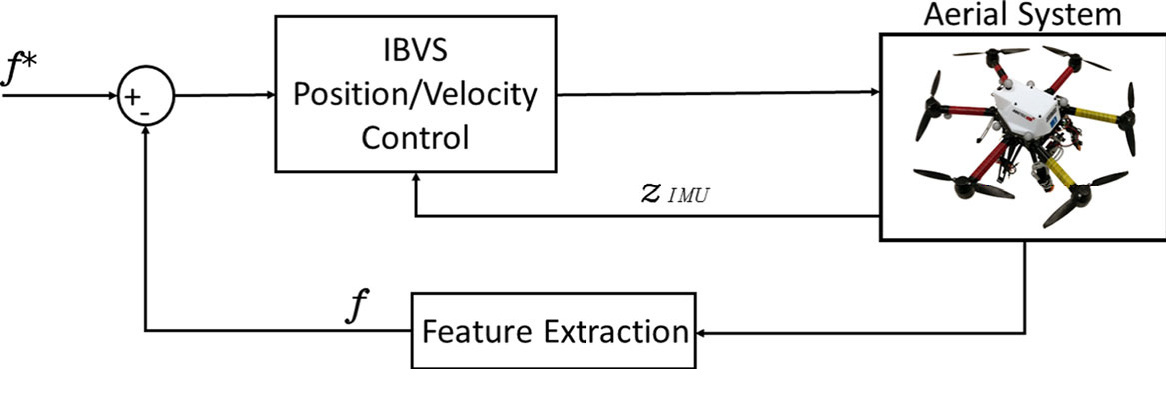
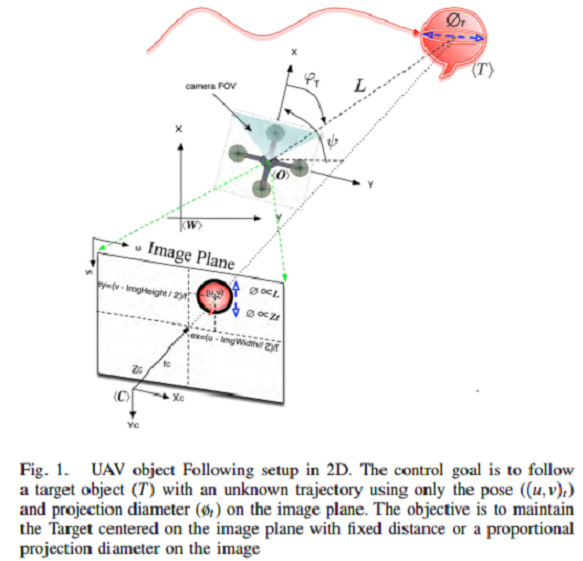
This app uses gimbal APIs to control a 3-axis gimbal in order to keep the camera(mounted on gimbal) focused on an object of interest in the vicinity. FlytOS vision APIs are used to detect and track the object. Read the full blog on Drone API for Gimbal Control [How to do Visual Servoing]

Check this GitHub link for instructions and source code to setup this app for your drone.
Also, check out the video explaining how to do visual servoing using your companion computer:



 There are massive amount of quadcopter brushless motor brands in the market, What factors should you consider when choosing a given quadcopter motor brand? and Which one is the most popular one? Below are listed most brushless motor brands for you.


