All Posts (11086)

Sort by

I'm sure alot of us have been waiting with anticipation for this one.Let's get some samples and/or eval board and test its performance to determine applications that it may be suitable for.

Digital-output X-, Y-, and Z-Axis angular rate sensors (gyros) on one integrated circuit with a sensitivity of 14.375 LSBs per °/sec and a full-scale range of ±2000°/sec

Three integrated 16-bit ADCs provide simultaneous sampling of gyros while requiring no external multiplexer

Enhanced bias and sensitivity temperature stability reduces the need for user calibration

Low frequency noise lower than previous generation devices, simplifying application development and making for more-responsive motion processing

Digitally-programmable low-pass filter .. and more....

http://invensense.com/mems/catalog.html

Read more…
Developer

When testing my airplane on the flying field i have two main problems:

1.-I can't see anything on my laptop under the sun. SOLVED!
2.-Battery life less than 3 hours. SOLVED!

The way i did to solve this problem was actually pretty simple and now i can get more than 12 hours of battery life when testing and at full screen illumination! This very, very convenient specially when you can park your car near to you.

My super top secret is my new Duracell PowerPak 600. It has build in power inverter, AM/FM Radio (LOL!), Lamp, 12V car socket and car cable to start it up (just in case).


There's a few considerations you must take care of, in case you want to maximize the performance of this portable battery: You must use a 12V laptop power adapter, is more efficient than using the internal 120V inverter. I was able to find one for my Dell Studio, but not for my ThinkPad (so bad), but the ThinkPad works like a charm under the sun! Even better than the iPhone screen!

Talking about the iPhone I'm just waiting to end my contract and get the new Nexus from Google, it allows you to have internet access from your laptop (tethering for free!) by just using the normal USB, so i can stay connected without paying extra $50 bucks monthly (or just jailbreak your iPhone). ;-)

In other hand the Beta version (not alpha) of the ArduPilot Shield is about to arrive in one week, i hope is ready soon!

Cheers!
Read more…
3D Robotics

From I Heart Robotics:
"While it may be obvious to some, as a practical matter, steel doors should be considered a serious navigational hazard to indoor autonomous micro air vehicles due to the effects of the magnetic fields. This problem is especially noticeable in hallways with several closely spaced steel doors.

The effects for these fields on the pose estimate should be considered when calculating the magnetometer's sensor error model for the Extended Kalman filter. Otherwise the sensor will have a noticeable negative influence on the EKF output.

One of the symptoms of this problem that you may experience is that the fused IMU yaw data is less accurate than the unfiltered yaw gyro data.

The door shown in the video is not located near any high current electrical wiring and multiple, but not all, steel doors in several locations exhibited this behavior."
Read more…

Ardupilot goes into the water Part 3


I love Body-Boards.
They are poor man´s surfboards for for non-hawaiian non-californian or non-seaside residents like me.

A Body-board should be the ideal platform for carrying all that electronics.
How was i wrong!

The only thing which was missing is an adequate propulsion system.
The first try was an electric bilge pump. As already mentioned above, i don´t like propellers in the water, because they will easily fall in love with water-plants.
A bilge-pump seemed the ideal solution, because it has a shielded propeller, which is well adapted to the motor by a gear.
The outlet of the pump was connected to a silicon tube, the steering was done by a servo that bent the tube to the right and the left.

Yes it worked - in principle -
But the thrust of the pump was not high enough to get an adequate speed and the tube-bending assembly had not enough "angle" to make good turnrates.

Sorry, no pictures are left from that assembly.

Still the idea with the body-board.
I skipped the idea with the bilge pump, anyway a model with a better throughput may have done the job....
Till this point all assemblies have been very very crude ones, stucked together with gaffer-tape and hot glue. The only purpose of this assembles was to prove, if the concept is OK.
Till then it obviously was not.

Then i went in a more serious phase, when i entered again the local RC retailer shop and left it with a BLDC Motor-propeller assembly from Multiplex.
It was a kit for pimping the Park Master from Multiplex, the "Power drive "ParkMaster 3D" #332638". See /http://www.multiplex-rc.de/ for details.

The Parkmaster pimping kit.

This kit was mounted on an alumnium plate, which was recycled from an old 19" rack. The steering was done by an air-rudder, which was made from a PVC foam board. It looked a little bit like an oversized side-ruder of a model plane. Thrust was OK now, but the steering was not. In principle it worked, but the air-rudder had not enough "power" to give a good steering quality. Additionally, the left and right curve radiuses (or is it radii ?) were different, because the simple "steel-wire-rudderhorn-servo-coupling" was not symmetric.
And, most of all, the body board had no keel, which makes it very instable. Holding a straight-line course is like juggling with three balls (and i hardly can do that with one). Adding a few stripes of PVC-foam-boards on the bottom of the board made it better but not good enough.

This is the Body-Board with the air-rudder. Still with telemetry, still RC controlled.

Next Try: I mounted the BLDC Motor with the propeller on a PVC Tube and put it on a PVC pivot so that the whole assembly can be turned by a servo. Looks a little bit like a windmill. This led to better results for the control of the Body-Board, but the stability for driving a straight line was still not satisfying.
The first approach was to connect the PVC tube to the servo by an an O-Ring. Worked, but was a little bit sloppy when the tension on the O-Ring is too low and gave to much force on the shaft of the servo, when the tension was OK. So i decided to connect it "classically" with steel-wire and rudder-horns.
I kept this propulsion-approach for all further platforms, because it proved to be very robust.

The Windmill assy with O-Ring connection. Sloppy...

The Windmill assy with steel-wire and horns. much better..


Thats all for today, next episode will focus on a more serious hull, the introduction of ArduPilot and the black day.

Read more…
Moderator

getAsset.aspx?ItemID=33514


http://www.flightglobal.com/articles/2010/04/01/340168/pictures-farnborough-beckons-for-italian-uav-display-team.html


While the Boeing 787 and747-8 appear set to be the commercial showpiece of July’s Farnborough Air Show, military eyes are likely to be drawn to the Italian unmanned formation display team intending to debut at this year’s event.

Farnborough 2010 organisers have yet to give final authorisation for the Foggia-based ‘Squadriglia Tranquilla’ (‘Quiet Squadron’) to participate, but Flightglobalunderstands that approval is likely to be granted this month.

The nine Alenia Aeronautica Sky-X UAVs have been heavily modified, mainly to reduce fuel and maintenance costs. All of the expensive surveillance equipment used during military operations has been removed, leaving relatively simple pre-programmed on-board guidance. Each Sky-X has also been fitted with a smoke canister.

I will be at Farnborough so will enjoy watching that from the beer tent.

Read more…
3D Robotics

T3--Round 6: The Simulation Round!

For the last T3 round before the weather improves (in the Northern Hemisphere), we're going to do something indoors! It's a simulation round, which I previewed here.


I'll repeat the basics:


There are two kinds of simulations: "open loop" and "closed loop".


Open loop means that you connect the output of the simulator to the input of the autopilot. The simulation drives the autopilot with synthetic GPS coordinates and sometimes synthetic attitude data, essentially replacing the autopilot's sensors. This basically fools the autopilot into thinking that it is flying, and you can watch how it responds. This is typically done by having the simulator output data via the serial port and feed that into the autopilot.


Closed loop means that you also connect the output of the autopilot to the input of the simulator, so that the autopilot is "flying" the aircraft on screen. This usually requires a relatively complicated bit of hardware that converts the PWM servo output of the autopilot into what amount to joystick commands via USB or serial that steer the plane in the simulator. It can also be done entirely in software on the host PC, as in the case of Matlab simulations being driven by a flight simulator.


Here are some blog posts that show examples:


--Curt Olson's FlightGear demo

--Faisal Shah closes the loop, Part 1

--Faisal Shah closes the loop, Part 2


Here's the contest structure:


Two sets of winners:


Both must write "DIY" (in cursive) over a place of their choosing. Example above from brakar, who, like Jesse & Jared, have jumped the gun a bit and already submitted successful entries for this round.


--Group One: Open loop (video showing you mirroring the airplanes control surfaces with the arrow keys): First six to complete this win a $25 gift certificate to the DIY Drones store.


--Group Two: Closed loop (aircraft controls the flight simulator): First three to complete this win a $50 gift certificate.


A special top prize will go to the person who best documents how they went about it and creates a useful tutorial for others to use afterward (judge: Gary Mortimer). The prize for that will be the notorious Raven UAV clone (unless the winner requests something else, in which case I may grant mercy and come up with something of equal or greater value).


Also, as suggested by Brian Wolfe, anyone who completes either of these rounds will get points added to their grand total: One point for open loop and four points for closed loop. Here are the current cumulative rankings after five T3 rounds:


Brian Wolfe 31
Vassilis 24
Brakar 23
Mark Griffin 18
Krzysztof Bosak 17
Andrus Kangro 12
Jesse Jared 8
IOS 6
Bill Premerlani 6
MarcS 6
Joe 6
Steve Joyce 5
Steve Westerfield 3
Chris Anderson 3
Icebear 1


Entries must include a video and KML track and a description of your simulation setup (flight sim, autopilot, other hardware). Submit your entry in the comments below by 12:00 midnight PST on Sunday, May 2nd.


Read more…
Developer

Improved Heading Controller

https://www.youtube.com/watch?v=cipTQAUM-v4

Note** these are 100meter orbits with really strong winds to provide a setting for this test. Hence the reason why the autopilot has a hard time holding a perfect circle. However the improved algorithm is holding so much better in the high wind scenario than the original algorithm!

This is an example of how to eliminate the oscillation in ground track using a heading error>bank angle type proportional controller. The groundspeed of the vehicle determines its turn rate for a given bank angle. Typically you tune the PID (only P is needed) for a given trim airspeed and assume that the ground speed is fairly constant and something close to the airspeed. However when there is high winds, this isn't the case. The ground speed can change +-50% in some cases in and out of phase with the wind if not more.

This causes oscillations on the "upwind" side because the turn rate is so much higher. To take this nonlinearity out of the system, I added the turn rate equation into the mix and solved this problem. The largest contributor to this problem is the GPS lag. So using this turn rate equation in the middle, it makes the controller more predictable with the changing ground speed.

I made an attempt at a video so hopefully it will better explain what is going on here. Especially beings a lot of people are having this problem!

-Beall

Read more…

Ardupilot goes into the water Part 2

You asked for it.
Here is the part 2 of my experiences...
(still fiddling with the Rich text formating on this page)

The first steps:


In spring of 2009 when the ice from our training lake, which is in the vicinity of my hometown, melted away, the idea, that was born on that mountain lake half a year before, manifested into a project. It should be an easy-going project with not too much workload, one to two weeks or so...
That were my plannings. Reality showed, that it was not that easy.


Step 1 (The jetski era)

What i needed first, was a swimming platform, that was able to carry the sonar system.

The Sonar i bought one year earlier was ideal, because it had a GPS and a sonar combined in

one device. And the NMEA output via the RS232 link also provided the depth below the transducer as

a separate NMEA sentence.

The one i used was a an EAGLE CUDA 350. I think it is still available for an affordable price.

http://www.eaglenav.com/Products/Fishfinders/CUDA-350-SMap/


Next, i went into our local RC retailer shop and bought an RC-guided Jetski model boat.

The jet propulsion system seemed to be and ideal choice, because it will not interfere with the water-plants as normal water propellers.


No good idea.

The model was to small to carry the Depth sounder, batteries and the other stuff.

The current drawn by the (brushed) DC-Motor was horrible (about 16A @ 12V).

The water inlet of the jet drive was rapidly clogged with algae and other stuff swimming arround.


Then i built a styrofoam platform which was fixed in front of the jetski Boat with sticky tape and hot glue to get the Sonar transported. Better having a bad platform than none :-)


This is the Jetski- push assembly. The Sonar is mounted on the styrofoam in front of the ship, the transducer is below the styrofoam. The Telemetry assembly is in the Tupperware-like box on top of the Jetski. The Barbie-Ken type guy who sits normally there was taken off. (Sorry Ken, no fun this time, enjoy sitting in my cellar on the shelf).


The next problem was the visibility of the ship.

You can´t hardly control the boat when it is some 100m away, even with binoculars.

So i decided to transmit the GPS Information via a telemetry link to the shore and control the ship remotely with a realtime display of the GPS TrackMaker Software. ( http://www.gpstm.com/ )

The Radio Link was excellent , but the realtime response of the Software was not realtime enough to steer an instable assembly.

For the telemetry link i used an evaluation system with a "true R2323 to air" solution from Radiotronix, so i could remotely connect the RS232 NMEA output of the EAGLE Sonar to the Laptop on the shoreline, that served as a ground station.

Here is the link to Radiotronix:

http://www.radiotronix.com/products/proddb.asp?ProdID=13


This is the "Ground Station" running GPS Trackmaker on Windows XP in a virtual machine on a MAC. On the left side is the Evaluation board with the Radiotronix module on it. The connection to the MAC is done by an FTDI-type USB2serial adapter. (quite weird configuration, but it worked!)


Next, i tried to pull a Body-board with the jestski-model. The Depth-sounder was mounted on that body-board.

Nope.

The jetski is a glider boat and with that payload in the aft, the boat refused to glide and the guidance did not work very well.

Fortunately i have no pictures from this assembly (it looked too curious).


Thats all for today...


in the next episode i will tell more all about the "Body-Board era"


To be continued...


Read more…
3D Robotics

As we prepare to migrate our current LabVIEW groundstation from ArduPilot to supporting ArduPilot Mega, we're taking the opportunity to rethink its architecture and code base.


Right now it's written in LabVIEW, a visual programming environment that has the advantage of rapid development and easy-to-make instrument displays, as well as being cross-platform. But the problem with it is that the development tools aren't free (indeed, the ones that can create an executable file start at $1,249!), and distributing the files requires users to download a runtime engine and serial driver. As a result, we don't have as much community participation in the ground station as we do in most of our other projects.


Over the past year, we've been looking for an alternative with free and good development tools. It needs to be cross-platform, compatible with open source code standards, and appropriate for a ground station (ie, able to handle a rich visual environment and to talk directly with the serial port). Eventually a good candidate emerged in Nokia's Qt application and UI framework, and I'd like to present it here for community feedback.


You can see a glimpse of Qt above, but here's the description from the site:


"Qt is a cross-platform application and UI framework. Using Qt, you can write web-enabled applications once and deploy them across desktop, mobile and embedded operating systems without rewriting the source code.


Features


Note that it's cross platform on more than just computers--it will also run on phones, too, which introduces the possibility of an ArduPilot GCS on Android or some other smartphone, which would be very cool. Also, we intend to integrate the current ArduPilot configuration utility into the GCS, so one desktop program can handle all the ArduPilot functions, from mission planning to real-time data display, including integrated Google Earth and video handling and image processing.


So what do you think? Is this a good code foundation for a full-featured groundstation? Does Qt look like something you'd adopt for the right project?


[UPDATE: See this Swiss team's MAV groundstation for an example of what Qt can do. Nice! It's open source, so we can build on it if we want.]

Read more…

Ardupilot goes into the water Part 1

Hello everybody,
this is my first blogpost on this site.
In the following i will describe my experience, my ups and downs while
developing an ArduPilot based depth surveying system for lakes.
I know, this site is primarily for flying platforms. Please leave a comment, if you think that this is not the right place. Maybye, some of my findings are also interesting for flying platforms.

The Beginning:

If you are a scuba diver, depth is one of your major concerns.

If you are one an unknown divespot, depth is the major concern.


Two years ago, those were my thoughts, when we went diving in a mountain lake on the North Italian side of the Alps, where nobody had been diving before us.
How deep will it go ?
What will be the structure of the ground ?
What about the slope ?


On this lake, the story started.

The native people only had speculations and stories about the lake, but nobody could tell us what we really wanted to know.


Discussion with the native people, with every beer, the depth went deeper.

So the idea was born to survey the depth of this lake prior to submerge our bodies into the unknown.


The equipment consisted mainly of a Depth sounder with GPS (aka Fishfinder), a Body-Board, a GMR walkie-talkie and me, swimming with all that stuff criscross around the lake.


The „Ground-crew“ stood on the lakefront with the second GMR, writing down my „depth-and-waypoint-readings“ .

In the evening, all the waypoint data was collected and put manually into the laptop, running an old Version of the FUGAWI software. The depth profiles were manually drawn on a few sheets of paper.


The result was not very spectacular, the profile of the lake had mainly the shape of a bathtube, filled to one third with mud.


Here i am mounting the Sonar to the Body-Board.

surveying the hard (and cold) way...

But, what lasted, more than the result of that action, was the idea of automating that process.


To be continued...

Read more…
Great Pete Holland's camera stabilization/tracking firmware

Arcus IMU with camera stabilization firmware test #10 from Riccardo Kuebler on Vimeo.


Hi all,

I made several flights with Pete's great camera stabilization/tracking firmware. Those video are not of high quality
and only of technical interest.
I would make a video of better quality, but at the moment it is not possible. It will come in the near future.
From the other side it is a shame not let others know about this and share those video with this great UDB performance.

Iwould like to thanks Pete for developing this firmware, for his great
support when I was testing it and for the nice moments toasting at the
success.

Video are here:

Test #1

Test #2

Test #3

Test #5

Test #6

Test #10 (title video)

Best regards,

Ric
Read more…

Ardupilot based 4 channel servo subsystem.


I've mention this project a couple times and finally, here it is.


What: This is an ardupilot board that has been modified as per the picture above. The modifications allow reading the position of 4 channels from your receiver and driving 4 output servos. The firmware has been altered to remove support for gps and instead use the one ATMega328 serial port to write out the receiver channel data and read in servo position commands from an external computer.


Why: I am working on a gumstix based autopilot. The gumstix runs all the "smarts" but I need a simple way to decode receiver channels and drive servos, and I need a manual override safety switch. The ardupilot provides both of these.


I'm no master solder expert, but I managed to avoid soldering my fingers to the board and everything works, so I'm happy.


I am attaching my firmware mods (based on the Ardupilot-2.2.3 firmware with lots of hacking and chopping.) My current incantation only does servos, but I tried to leave the door open to attaching other analog sensors which could then also be reported to the host computer ... this could include pressure sensors, voltage sensors, etc.


ArduPilot_SensorHead_v1.3.zip


I ran into problems using pulseIn() to read the receiver pulses (which made sense after I looked at what pulseIn() is actually doing) so I wrote my own routine that watches all 4 channels at once and times the pulse. I haven't convinced myself that I have the overall board timing locked down exactly the way I want it, but for now it seems to work pretty well. I can read 4 channels of data off my receiver (+ the selection channel state) and I can drive 4 servos from the host computer (tested with a simple sine wave function.)


On the subject of hardware in the loop testing, a board mod like the one described here could be used to read the servo outputs of a standard ardupilot, and feed them to a simulator to be translated into control surface commands there. Some additional software/communication work would be required, but it should be a reasonably straight forward project.

Read more…

Superman, Marilyn and Robot Planes

It’s A Bird, It’s A Plane, No It’s a UAV


I thought we should look into some interesting stories about the history of UAVs (Unmanned Aerial Vehicles) before we get into the sizzling high-tech advanced hunter-killer UAVs later in this series.


We started the series last week with Robot Planes Win With Northwest Nano an intro to Northwest UAV, a local designer and builder of UAVs. This week we assembled some lighthearted stories, photos and videos covering a little history of UAVs, Hollywood and other fascinating flights of fancy for Friday Follies.

So please come with me as we join Mr. Peabody (a smart talking dog long before snarky Brian) and his boy Sherman in the WABAC machine to travel to England in the early 1930s to meet Reginald Denny.


Right-click here to download pictures. To help protect your privacy, Outlook prevented automatic download of this picture from the Internet.

Reginald Denny 1917


Reginald Denny and the Radioplane

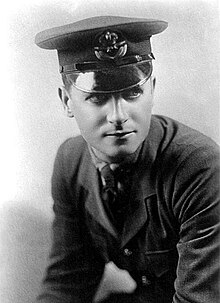
The first large-scale production, purpose-built drone was the product of Reginald Denny. He served with the British Royal Flying Corps during World War I, and after the war emigrated to the United States to seek his fortunes in Hollywood as an actor. Denny had made a name for himself as an actor, and between acting jobs, he pursued his interest in radio control model aircraft in the 1930s. He and his business partners formed “Reginald Denny Industries” and opened a model plane shop in 1934 on Hollywood Boulevardknown as “Reginald Denny Hobby Shops.” Wikipedia

Read full post with photos and videos here...

Read more…
3D Robotics

Update on the DIY Drones dev teams

Those of you who tuned into the podcast this week heard that we're in high gear here at DIY Drones getting ready to release the next generation of ArduPilot, ArduPilot Mega. As always, this is a community effort--the product of dozens of people working for more than a year. So this is an opportunity to call out some of the heroes of the project and a way for people to figure out how they might contribute:
Project Team leaders
ArduPilot hardware (classic & Mega) Jordi Munoz and Nathan Seidle
ArduPilot software (classic & Mega) Jason Short and Doug Weibel
ArduIMU hardware Jordi Munoz
ArduIMU software Jose Julio, Doug Weibel and Jordi Munoz
ArduPilot Mega IMU shield Jordi Munoz and Jose Julio
Ground station software Igor Koruga
Configuration utility HappyKillmore
ArduStation Mega Sarel Wagner
Telemetry data structure Mikko Saarisalo
Documentation Chris Anderson

Each of those team leaders typically has a few other contributors working with them; in total we probably have about two dozen core developers. These project are all sized to work best with small teams, so we're careful about adding too many new folks, but we also depend on the community to drive the project forward. So if you would like to contribute to one of these efforts, please comment below.
Read more…
T3

The answer is:

since UAVs are supposed to fly gracefully,

if you pick a platform that is manageable in manual mode (not overly sluggish),

you can fly a machine of arbitrary size.

Also the stall recovery using rudder is intuitive.

IMO positive stability is not strictly required,

but for real-world applications aircraft stability and autopilot action should better be working together.

MultiplexFox (0.26kg, no payload, 20-45min enduirance, 45-55km/h)

Research plane - classified as Barely Flying Machine. -40deg glide slope when unpowered.

Autopilot is the supporting structure... (maybe World's first Intergral Autopilot Design ;-) )

EasyUAV (1.2kg AUW, 0.65kg empty weight, 20min-1h10 endurance, 35-45km/h)

Pteryx UAV (3.2-5kg AUW, 2.6kg empty weight, 20min-1h30 endurance, 40-55km/h)

Fully custom UAV for aerial photography, not available as a kit or in any other form.

(a joint development of AerialRobotics and TriggerComposites, www.pteryx.eu)

All can be hand-launched, however for Pteryx with over 4kg AUW

it is possible to use bungee launch if you want to operate reliably

even under stress.

Read more…
3D Robotics
Free video streaming by Ustream

Tonight (Sunday) we'll do our regular podcast, which everyone here is welcome to participate in by listening to the chat live above and commenting and asking questions via the DIY Drones chat function. We'll be starting 9:00 PM PST.

This week we'll by joined by Krzysztof ("Chris") Bosak, creator of Flexipilot, a custom IMU-based autopilot, and EasyUAV. He'll be calling in from Poland, so I'm guessing this involves an early wakeup. Thanks Chris!

Here's a little background on EasyUAV. One of the questions we'll be asking him is when a proper website is coming ;-)


Read more…
3D Robotics

First impression of Raven clone model

Today the $170 Raven clone we were talking about the other day arrived. Here are some quick impressions after unpacking it.


First, it's BIG. The wingspan is 60" (152 cm), which is about 15% bigger than the real Raven RQ-11 (130cm). Here you can see it head to head with a stock EasyStar.


The build quality seems pretty good. It's all balsa/ply, with no fiberglass or plastic. The tail boom is an aluminum tube. None of it seems very sturdy, however--this is nothing like the real Raven, which is made of carbon fiber and kevlar and designed to crash land.


However, the model comes with NO instructions, and I really have no idea how the wing is supposed to attach to the body, or where the CG is supposed to be, to say nothing of where the rudder and elevator servos are supposed to go, since the interior of the body is totally empty. There are hatches in the wing for the aileron servos, but no mounting rails.


The tail boom just slides into a hole in the body. I guess you're supposed to drill screw holes or something. No clues given.


The motor mount. No information given on suggested motor or prop.


Here's the inside of the body. Basically, this is an empty vessel. You'll have to do a lot of work creating a plywood interior framework for electronics and such.


Wings are built-up balsa. I suppose you're supposed to epoxy the three segments together. I don't see any way to have the wing disassemble into pieces for transport.


It comes with a small bag of generic hardware, including some joke foam wheels and mounting brackets for landing gear that it doesn't have. This is almost certainly a hardware pack intended for another plane. There seems to be no connection to the Raven, although the control horns and fabric hinges could certainly be used on this model. Perplexing...


Bottom line: I really don't think this is the plane for me. Even with instructions, this is going to take many hours to get ready to fly. It's going to be hard to transport, with its large size and one-piece wing, and I'm worried about how it will handle hard landings. The tail boom mount looks fragile to me, and I really can't see how the wing mount can be anything but a fracture waiting to happen.


I think this might work as a very large display model for shows, but I can't really see it holding up to much real flying.


And without instructions, I wouldn't even try making it. For a $170 model, I'd expect more polish. In short, based on what I've seen so far, I can't recommend this.

Read more…
3D Robotics

Proposed next T3 round: simulations


Gary Mortimer and I are leaning towards a simulation round for the next T3 contest, but I need some feedback about what would work best.


There are two kinds of simulations: "open loop" and "closed loop".


Open loop means that you connect the output of the simulator to the input of the autopilot. The simulation drives the autopilot with synthetic GPS coordinates and sometimes synthetic attitude data, essentially replacing the autopilot's sensors. This basically fools the autopilot into thinking that it is flying, and you can watch how it responds. This is typically done by having the simulator output data via the serial port and feed that into the autopilot.


Closed loop means that you also connect the output of the autopilot to the input of the simulator, so that the autopilot is "flying" the aircraft on screen. This usually requires a relatively complicated bit of hardware that converts the PWM servo output of the autopilot into what amount to joystick commands via USB or serial that steer the plane in the simulator. It can also be done entirely in software on the host PC, as in the case of Matlab simulations being driven by a flight simulator.


Here are some blog posts that show examples:


--Curt Olson's FlightGear demo

--Faisal Shah closes the loop, Part 1

--Faisal Shah closes the loop, Part 2


Here's a proposed contest structure:


Two sets of winners:


Both must write "DIY" (in cursive) over a place of their choosing.


--Group One: Open loop (video showing you mirroring the airplanes control surfaces with the arrow keys): First six to complete this win a $25 gift certificate to the DIY Drones store.


--Group Two: Closed loop (aircraft controls the flight simulator): First three to complete this win a $50 gift certificate.


What do you think? Is this doable?

Read more…