Makani is one of the wind-power companies that have been working on using tethered UAVs as electricity-producing kites. They've had lots of challenges and it's still not clear whether utilities will embrace this model, but it is a very cool use of aerial robotic technology.
Not much to do with drones, but for those broadly interested in robotics, this is very impressive. As Kottke says, it "goes from sexy robot to terrifyingly fast insect death machine in about 45 seconds."
A few folks over at National Instruments going under the name LabVIEW Hacker have gotten their hands on a Leap Motion dev kit. The Leap is an interesting little input device designed to track fingertips in 3D space, much like a Kinect but at much higher resolution. Needing something to show off their LabVIEW prowess, these guys controlled their office AR Drone with the Leap, making a quadcopter controller that is completely touchless.
Building on their previous AR Drone hack, the LabVIEW team spent the better part of a day adding wrappers around the Leap SDK and adding in control for their RC quadcopter. Now, simply by moving their fingertips over the Leap sensor, they can control their office quadrotor using a very high-resolution 3D scanner.
As is customary and traditional, we celebrate every new 1,000 members here and share the traffic stats. This time it's 31,000!
There were just under 1.5 million page views this month, which is a new record (we get over 50,000 page views a day). It took us 33 days to get this latest 1,000 members--we're averaging about one new member every 44 minutes.
Thanks as always to all the community members who make this growth possible, and especially the moderators who approve membership applications and blog posts and otherwise answer questions and keep things ticking here. We've got about 60 moderators now, but if anyone would like to join this group, please PM me. If you've been here for a while and have been participating, you'll fit in great.
Yesterday I received one of the first updated Gluonpilot 2's from Tom Pycke in Belgium,
The Gluonpilot is an open source project created by Tom and the new GP2 is a completely new hardware design but firmware will run on both new and old Gluonpilots.
I have been flying the Gluonpilot extensively this season and I especially like the Ground Control Station which allows route updates during flight and displays everything live in Google Earth.
MPU-6000 based All needed sensors (including the switched power supply) are on the main board On-board USB connector 2 voltage inputs for batteries 1 current sensor input Extendable: all pins are available on the extension board (I2C, SPI, GPS, ...) Rewritten OSD firmware with unique features: wind indicator, current navigation block name High-Efficiency switched voltage regulator at 2.5Mhz Top quality components for optimum performance: X7R capacitors & 1% resistors Enough solder jumpers & in- & output ports to customize it to your needs
After picking up my pre-order copy of Black Ops II earlier this week, I felt inspired to make a quick multicopter flight video with a Sci Fi flair. Copter is my Xaircraft X650-V8 using GoPro for video.
Posted by Antonie Kruger on November 16, 2012 at 12:30am
I was just notified by a supplier of gps modules in RSA that this product has become available locally(RSA). I'm not sure how long this has been out in the rest of the world, but the following statement had my attention : NEO-6P GPS module for Precise Point Positioning....OK, what is PPP, and how accurate is it exactly. The guys at ublox claims positional accuracy of <1m. http://www.u-blox.com/en/gps-modules/neo-6p-/neo-6p.html This is brillian for a L1 receiver. Then the small print - it can achieve and maintain this level of accuracy in static or slow moving applications. It is priced at around 1.5* the T chip's price and also has the raw data output capability that can be used in achieving a RTK fix (OpenRTK lib. ect).
Looking ahead in the quest for affordable, reliable 5cm accuracy receivers, I can not help but wonder when we will see a L1+L2 receiver from ublox at a price that does not involve selling a kidney. Are these guys going to stay with the mobile device position market? Will this market's demand for more accurate solutions push them to release technology they already posses (I'm speculating, but pretty sure). Can't wait for the NEO-6RTK.
Posted by Joshua Ott on November 15, 2012 at 9:30pm
One of the major weak spots with multi-rotors is the exposed propeller blades, they break and they hurt things.
I know people have designed guards and experimented with ducted fans, but has anyone done work with a boundary layer turbine arrangement? I've been kicking this idea around in the back of my head for some time now and just recently saw a ceiling fan project that uses this effect.
I always imagined a nested conical frustum stack (imagine lamp shades stacked on top of one another with a small gap between each). As the assembly spins, air is accelerated from the center down and out at an acute angle relative to the vertical axis, whereas the above ceiling fan example moves the air perpendicular to the rotation axis. I know it will blow air, but will it move enough to provide any useful thrust?
Any thoughts?
Now if I could just get a hold of some graphene and aerogel lampshades to experiment with...
Posted by Gary McCray on November 15, 2012 at 6:09pm
I know that it is taken as common knowledge that a hexacopter with a single motor failure cannot be flown beyond a controlled crash landing, but this is just plain wrong with our ArduPilot Mega hardware and if we can't do it, it is because of inadequate software.
I have a KK X525 quadcopter which I have flown very successfully for some time with the APM2.
One ESC on it is now progressively failing, continuously reducing power to it's motor after about 2 minutes flight, but all you notice immediately is the need to feed in a little more throttle and eventually it starts descending even at high throttle.
Once it touches the ground you need to switch out of any auto mode to prevent it flipping over (usually too late).
But the moral is that even with one motor failing it tries to maintain level and flight is still controllable.
On a hex if one motor fails all you should have to do is shut off the opposite motor and it should still be completely controllable as long as you have sufficient thrust in the remaining 4 engines to hover the copter.
Auto shutdown of an opposite motor could be handled entirely in software on the APM and control should be fully maintained. as you still have 2 motors turning each way and the lefit points are still symmetrical.
No spinning, no loss of control, no nothing.
If the Arducopter doesn't do this it should and I would definitely like to know what you think.
This could be a tremendous safety and long term cost advantage for a hex and not require an Octo as previously thought.
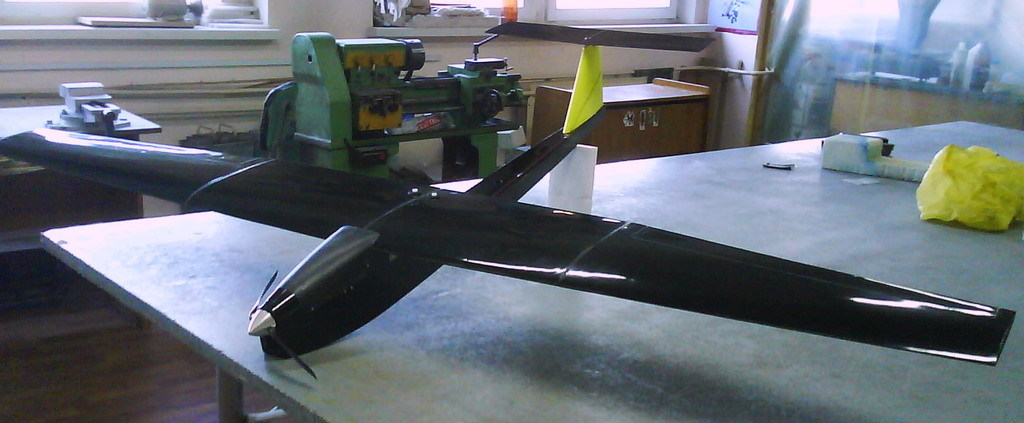
In a collaboration between DroneMapper, Falcon UAV, CompassData, Inc. and The Pinery Country Club we collectively demonstrated accurate geo-spatial mapping (in 3 dimensions) of a reasonably large area using affordable technology - UAV, consumer camera and ground control. First, a little bit about our partners:
Falcon UAV is a small unmanned aircraft designed to provide live aerial reconnaisance and airborne sensor capabilities to those who require a military grade system at a fraction of the cost. Capable of providing over an hour of endurance, day or night, the system provides public safety communites, research organizations, academia, and industry a professional hand launched UAV solution at an affordable price. For more information please visit - http://www.falcon-uav.com/
CompassData, Inc. provides the world's largest commercially available ground control data set - complete global coverage with 18,000 ground control points available for download. For more information please visit - http://compassdatainc.com/
The Pinery Country Club offers as one of its amenities a private 27 hole golf course in Parker, Colorado. Management at the Pinery was very gracious in allowing us to collect imagery over their property. In addition, the property contained 15 precision (5 or 30 cm absolute position) ground control points that were used for data processing and accuracy quality verifications. For more information please visit - http://www.thepinerycc.com/club/scripts/home/home.asp
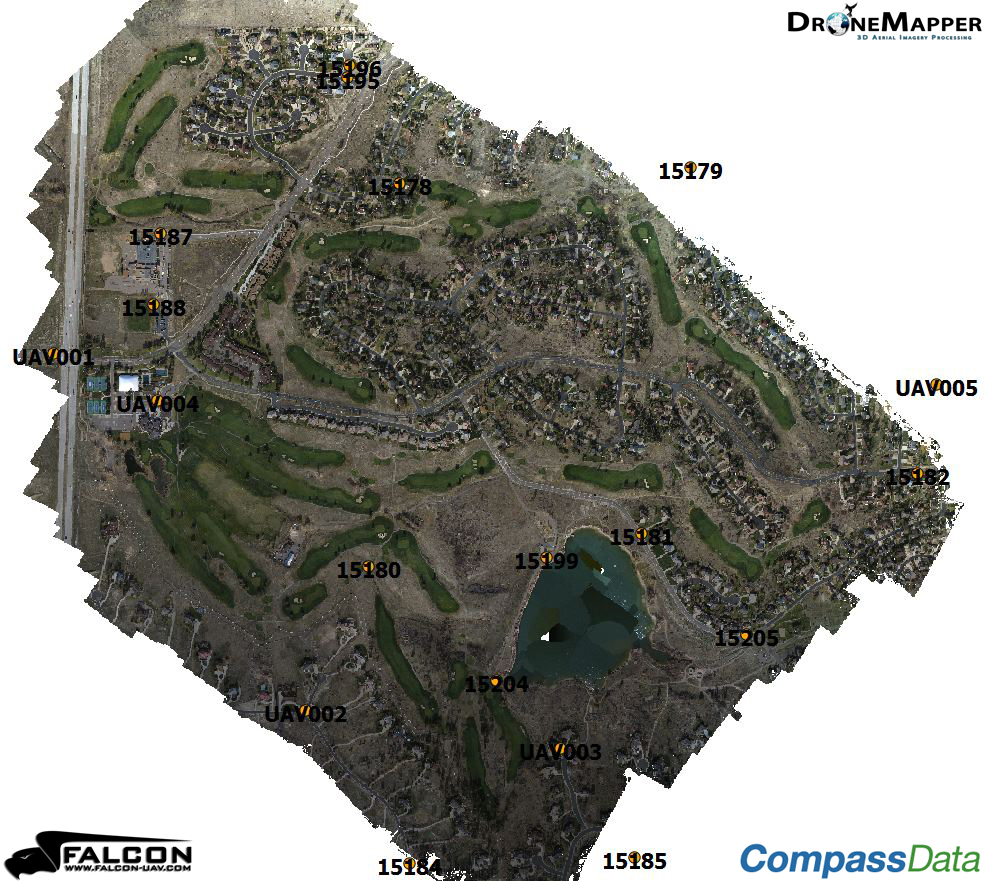
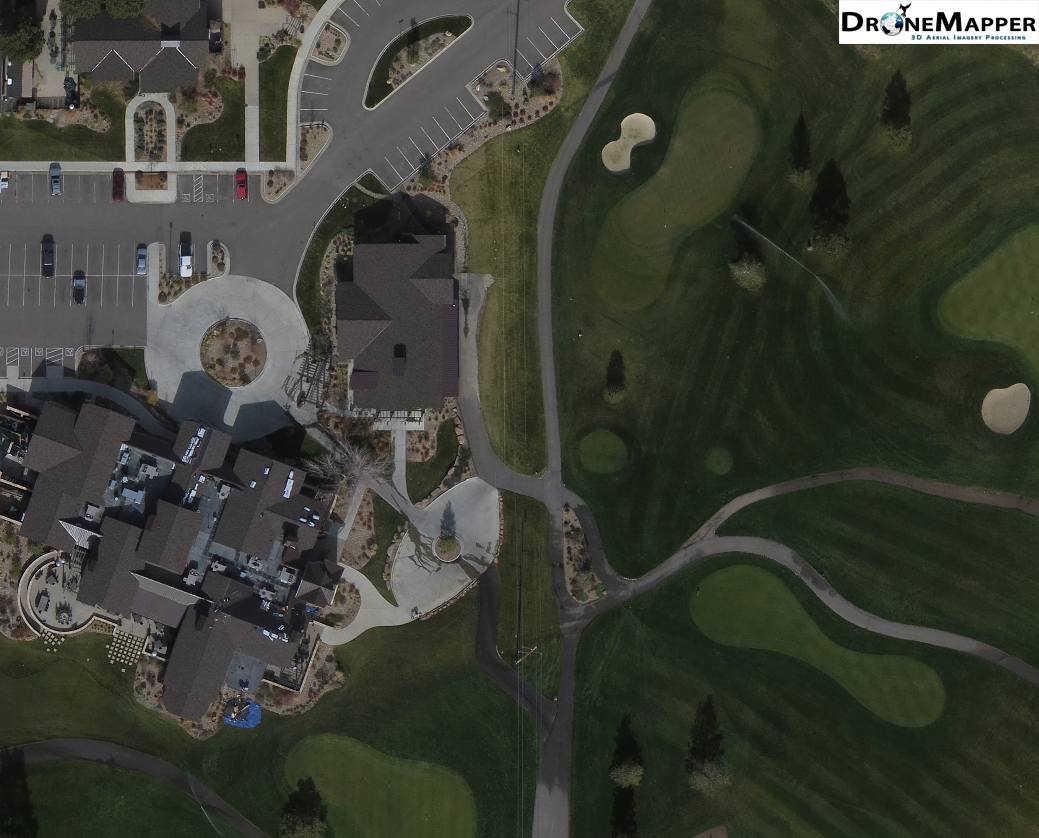
This ortho shows the Pinery CC area of interest and the ground control that was mapped by Falcon in a 1 hour flyover. The area covered was approximately 3.4 Km^2 @ 13 cm GSD. (6.7cm GSD available as full result)
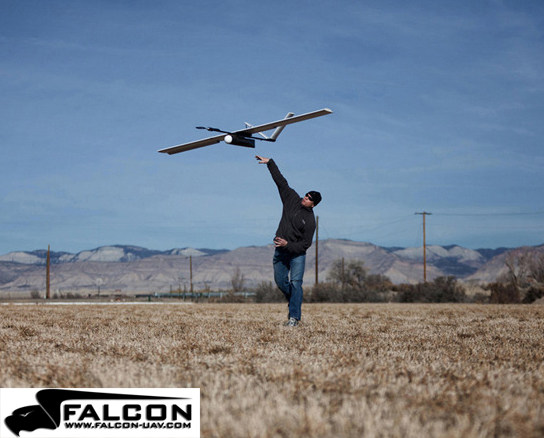
Falcon being hand launched.
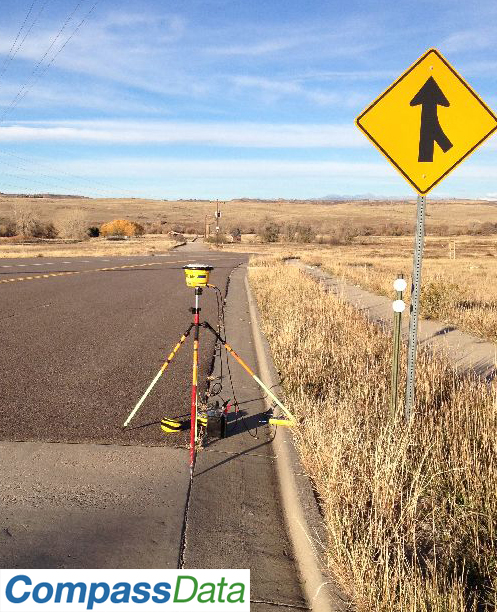
Typical ground control point being surveyed.
Pinery ortho detail.
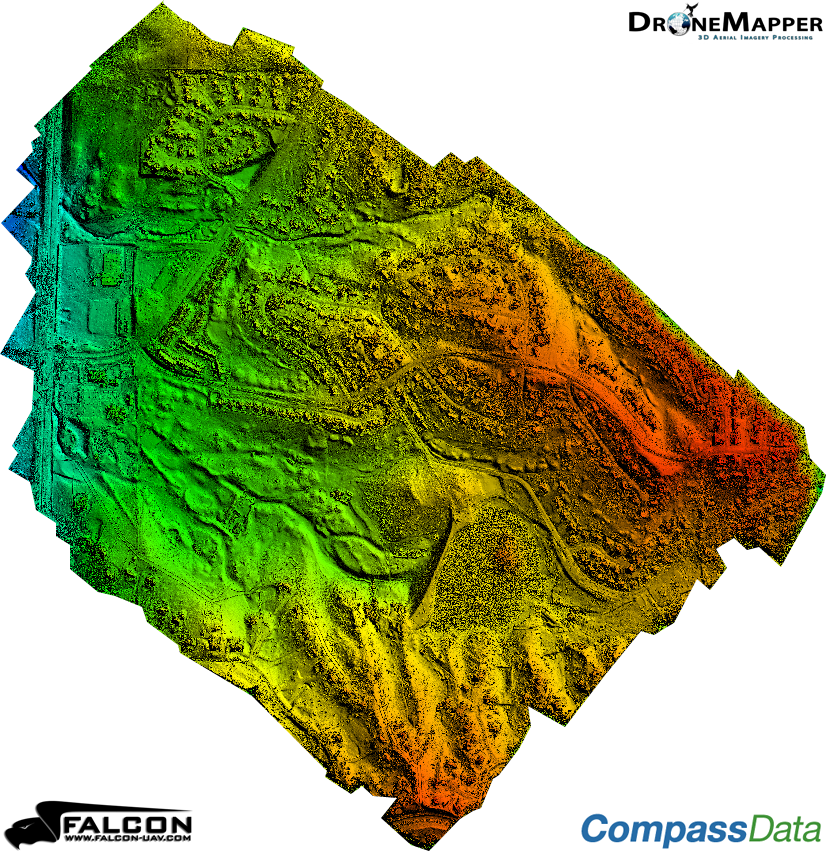
3 digital elevation models (example shown above) were constructed using 1) only camera GPS tags, 2) only Falcon flight log GPS tags and 3) 6 ground control points. For cases 1) and 2) all 15 GCPs were used for accuracy evaluation. In case 3) 9 GCPs were used for QA evaluation. The table below shows the Root Mean Square Error in meters and the Circular Error at a probability of 90% for each of the 3 cases.
Test Case
RMSE X (m)
RMSE Y (m)
RMSE Z (m)
CE90 (m)
1 - Camera Tags
8.4
6.7
27.6
14
2 - Falcon Tags
4.5
9.2
27.7
6.4
3 - 6 GCP
0.17
0.18
1.9
0.35
The full accuracy reports from CompassData, Inc. are downloadable below:
Posted by Jani Hirvinen on November 14, 2012 at 8:45pm
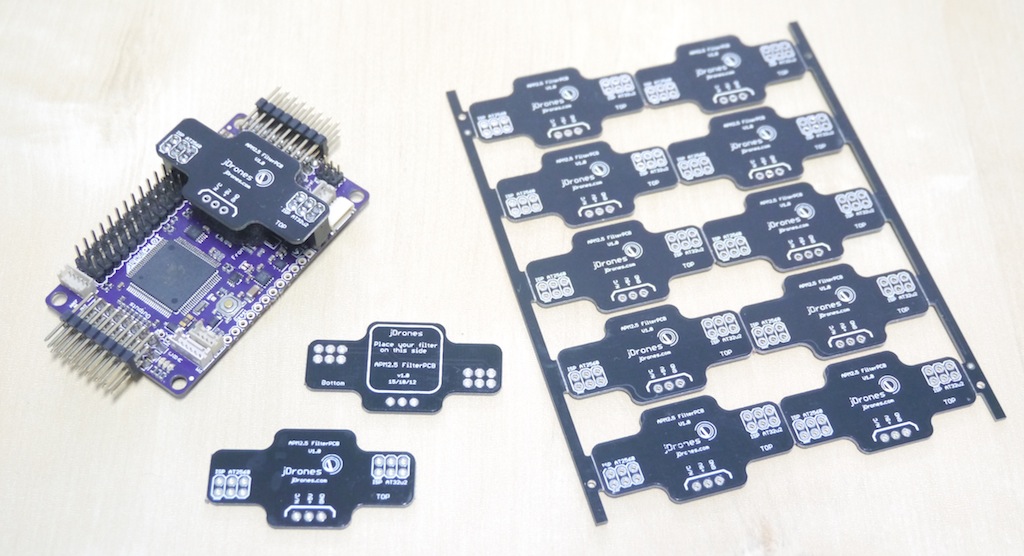
If your barometric sensor exposed on APM2.5?? Or you have tape/foam hack to cover it. Here is more elegant way to cover your baro nicely. On older APM2.0 baro sensor was covered with another PCB so it was not so exposed to wind blows and you got better altitude hold with it. On new APM2.5 board upper daughter board has been removed and barometric sensor is now fully exposed so it needs to be covered to avoid erroneous altitude readings.
We made custom APM2.5 Filter PCB for this purpose. It connects on both ISP pins on APM2.5 and foam on middle covers baro. There are additional +5V input provided on this board if you want to boost +5V system on your flight controller.
Ardupilot-Mega Wiki page has guide how to cover your baro but we were thinking that there has to be better ways than using tape and foam. Yes there are.
Which one you prefer?
Filter PCB's are now available on jDrones store, 4.5 USD each. So grab one during your next order and you will get a lot more accurate altitude response from your APM2.5 boards.
If you're a subscriber to Servo Magazine (and you should be) you'll recognize something in this month's issue--a rave review of APM 2.5! Low-res pages are below; subscribe for the full versions!
The NanoQ copter had an ambitious $230,000 goal and missed it, but you can still follow them here:
What happens if we don’t meet our goal? First off, you won’t be charged anything. We’d still like to make this product a reality, but it becomes a lot harder. We will be reaching out to investors to try and raise the funds needed to start production. Once we are sure that we can raise enough money and have a firm delivery schedule, we’ll start taking pre-orders from our website, QFOLabs.com.
To stay up to date with our progress, be sure to join our mailing list, just under the cover image at QFOLabs.com.
Same Autopilot and accessories but with a Skywalker platform is +$5K (!).
I found it insteresting, since the Aeromapper UAV (fully made in carbon fiber, ready to fly, with APM, geotagging camera, accessories, same payload than X8, ...etc) is at +$4K, almost half the price of their X8 foam version.
Not criticizing, just would interesting what community thinks.
[Moderators Comments: This so called "seeing what the community thinks" thread "comparing" the blog originators product with a competitors does not constitute being informative, and seems like a question for the discussion forums. The purpose of a blog post should be contributing to the community information not to obtain opinions. It also boarders on defamation which is against the terms of service.]
Read more…Moderator
Posted by Gary Mortimer on November 14, 2012 at 5:34am
Geoff Blands joins Patrick and Gene on today's podcast to talk a little about his work at NASA and no doubt the ARC 1.0 committee. (Patrick can't help himself)
Some of you are probably aware of Geoffs work with AEROKATS
The NASA Goddard Space Flight Center's Wallops Flight Facility is a major collaborative partner with the ICCARS Project. NASA engineer Geoff Bland developed the AEROKATS program and designs low altitude custom remote sensing platforms craft called Aeropods for agricultural and environmental research purposes. Geoff and his technician Ted Miles have worked closely with us to adapt their program to the needs of middle and high school teachers for STEM education.
We will find out what he's up to now.
Listen live here http://www.blogtalkradio.com/suasnews/2012/11/14/rpa-science you can try and ask a question via Twitter or Facebook. If the chaps see it or not is another matter! The clock on the link should show local time to you, but I find it hit or miss! I believe Patrick is still our embedded reporter at Whitesands, doing things of which we cannot speak. Means he has to resort to satellite phones to call in sometimes and the audio quality suffers.
Oh whilst here I noticed there was no Multi Rotor Group on LinkedIN so I started one today, welcome one and all.
Posted by Joshua Ott on November 14, 2012 at 12:30am
Here are the last steps in constructing an AV plug that will fit inside the GoPro waterproof housing-
All the parts are cut down to leave room for the soldered connections, don't cut them too short or the plug will be weak and floppy. The plastic insulation has NO heat tolerance at all! be very careful if you have to solder near it, even high temp hot glue will distort it if you are not careful and conservative with the heat!
I use a small amount of hot glue to insulate anything that needs it and to help hold everything together as I put the parts back together, this is a bit fussy, you may prefer to use something that gives you more time, like epoxy or liquid tape. Just be very careful to not make a mess on the outside of the plug, also be careful not to mar any of the contact surfaces of the poles during all this taking apart and putting together!
Looks like a plug again!
Now just use some hot glue or epoxy etc. to create a strain relief that holds everything down as flat as possible. Hot glue is nice here because it can be shaped or removed very easily.
This plug is very fragile! Never pull it out of the camera by the wires, simply wedge a fingernail under the metal shoulder and pull it out.
Now drill a small hole in the back of the case, feed your wires through and terminate them with the connector of your choice, seal the penetration and go fly!
If you don't need the audio signal this project can be done much easier, as the video and ground are very simple to solder, that audio wire is a bit of a bitch to attach without adding too much bulk and making it impossible to slip everything back together. I don't recommend omitting any of the parts even if they are not attached to a wire, the plug gets really weak and the female jack in the camera likes to have the original form of the plug. If the plug comes apart inside the camera it's not that big of a deal to take the camera apart and push the pieces out of the jack, but obviously you'll be happier to avoid this.
I am using the APM 2 for both my quads and it is tricky to get the barometer covered to avoid errant airflow since it is below the daughterboard. To solve this, I ended up pretty much filling up my stack cover with breathable foam. But once that was done, I could barely see the on-board LED indicators.
Fortunately, the current code supports remote indicators without too much trouble.
If you look at the pin-out images on the Wiki, you will see that the AN pins are labeled Motor LEDs. They really don’t have a lot to do with the motors – but they do serve as pretty handy indicators.
If you look in the code, you will find defines for these pins as follows:
AN4 – Motor or Aux LED
AN5 – Motor or Beeper
AN6 – Motor or GPS
AN7 – Motor
AN8 – Motor
For my purposes, I focused on AN5 for the Beeper, AN6 for GPS indicator and AN7 as an Armed indicator.
The default seems to be to have the beeper enabled and the LEDs on. That is easy to change however. The different possibilities are set using bit masks to build the LED_mode parameter. A bit mask (if you already know, feel free to skip ahead) is simply a way of packing a bunch of on/off settings into one byte of data. A Byte is 8 bits, so you can have 8 different switches in one byte. If you look at the following table, you will see a single bit is set to ‘1’ and the rest to ‘0’ in each row. To build the mask, you just add all the rows together and convert to a decimal number (or convert then add).
Note that the NAV settings cause the LEDs (either the motor LEDs, the GPS LED, or both) to blink 3 times when you hit a waypoint in AUTO flight.
The low battery flashing defaults to fast flash so setting that bit to 1 will enable slow flash.
I really only want the beeper, the GPS and the Motor LEDs on, so I set the mode to decimal value 11 (which is binary 00001011). This should equate to: GPS Nav blink off, Motor LED Nav blink off, low battery flash fast, beeper on, AUX off, GPS on, Motor LEDs on..
The way you set this to be the value used is through the Mission Planner.
Establish a connection with the APM and the Mission Planner software. Go to the parameters list and find LED_Mode. It should be set to something like 9. Change that to 170 (or whatever you decide to use) and write the settings to the APM.
The outputs on the APM are 5V, so for most LEDs, you’ll need a resistor on the positive lead (the longer leg of the LED). In my case, the blue LED I was using required a 100 Ohm resistor and the red one required a 150 Ohm resistor (note – not going to explain it here, but there are a ton of online resources and calculators to figure out the resistor values needed for a given LED). I soldered up the resistors and LEDs to leads and cemented them at the edge of my stack cover’s base. For the beeper, I just used a 5V piezo beeper I happened to have lying around. Radio shack sells one that will work, but it isn’t very loud. If you want volume, you may need to shop around,
When you connect to the AN outputs, you need to run the negative lead to the ground pin (the one nearest the edge of the board) and the positive lead goes to the signal pin (the one farthest from the edge of the board). The middle pin is always 5 Volts so if you plugged in there, the LED or beeper would be always on.
Beeper goes to AN5, GPS to AN6 and the ARMED light goes to any other motor LED output, but I chose to just use AN7.
That’s all there is to it. When you turn on the APM, you the LEDs will stay off until it is booted, then will flash the same as the on-board ones. When a GPS lock is achieved, the GPS LED will stay lit. When the bird is armed, the red LED will blink out and once it is fully armed, it will light a solid red. The beeper will beep twice on arming, and once on disarm.