Posted by Graham Dyer on January 20, 2013 at 3:00am
Thanks to the Dev team for getting ACv2.9 to us, especially as it fixes a lot of features that have been broken for a while. This one in particular is one that I had been trying to get to work - http://diydrones.com/forum/topics/automated-parachute-drop.
The mission was to takeoff to 2m altitude, fly to WP2 @ 25m alt, drop the chute, fly to WP4 to a) stay out of the chutes way and b) not yaw towards home hopefully to capture the chute while it fell with the 808 #16v2 keychain camera attached to one 'copter foot, then descend to WP5 @ 5m and land.
Some of the flight was a little wobbly as I had adjusted a few PID settings yesterday while experimenting with something else. Below is how the mission looked. The setup was followed as per the camera control wiki page > shutter configuration - http://code.google.com/p/arducopter/wiki/AC2_Camera. A simple 5 gram servo released a rubber band holding the chute underneath the 'copter.
I had to change the nav speed to 2m/s because the waypoint was very close to the takeoff point and that was still too fast as the 'copter had reached the waypoint before the 25m altitude had been reached.
Waypoint radius was set to 1m and I had turned AUTO_VELZ_MAX to 150cm/s from 125cm/s but that also made the takeoff very/too rapid.
Posted by Vince Hogg on January 19, 2013 at 2:23pm
Having seen a vast improvement in the Arducopter handling when vibration was reduced I decided to experiment further. I thought it was worth trying to soft mount the tubes so cobbled together a test frame on a bit of 4x2. The 12mm tube mounts are held in place with ‘o’ rings. The video is with standard 75 shore rings 17mm ID. This was just the first test so was quite pleased but will experiment with other types/sizes.
This method will probably only work on a ‘H’ frame where the motor lift balances out.
As Gary Mortimer noted, the forthcoming Parrot AR.Drone GPS add-on, which was announced at CES, supports MAVLink and can work with QGroundControl and the APM Mission Planner. I talked to Parrot at CES, and it sounds like they're going to leave autonomy to hackers and third-parties; the official AR.Drone software will support GPS datalogging, but not control, itself. They also haven't announced a price or release date for the GPS/datalogging module yet.
But for us in the MAVLink world, this is great news. There are now 500,000 AR.Drones out there, and the possibility for them to become real drones, with autonomy, could lead to a huge surge of people getting into amateur UAVs.
RCTimer Voltage & Current Sensor (http://www.rctimer.com/index.php?gOo=goods_details.dwt&goodsid=861&productname=) it is now available (i have ordered one). I have one AttoPilot Voltage and Current Sense Breakout - 90A from Sparkfun (https://www.sparkfun.com/products/9028). I would like to test both with my APM 2.0 when i have enought time to ironing the wires and XT60 connectors. I think that sell an APM Power Module with XT60 Connectors (http://store.diydrones.com/APM_Power_Module_p/br-apmpwr.htm) compatible with APM 2.0 and previous versions could be good for 3DRobotic. I don't understand why 3DRobotics does not have think in backwards compatibility, they are loosing buyers that have to go to Sparkfun or now to RCTimer.
The first parts for my UxV control station prototype have arrived and the planning and drafting is making progress. Thanks to a few friendly companies, much faster than I feared it would. Unfortunately, some major parts are still on the way, so I can't really start building yet. I'm using the time to work on the drafts and the functions, thinking of new ideas, kicking old ideas out. And of course, already testing some ideas on the Arduino Mega. The repository at GitHub is already created - although nothing is in it yet.
Here's an overview about the feature ideas. The full list and a few more infos are on the features-page on my website.
New ideas and comments are very welcome!
Mission control subunit
Functions
Display functions
Display telemetry data from FrSky RC system
Display MAVlink-telemetry
Display misc. data
C&C-functions
Send MAVlink commands
Flight mode
Waypoints
Camera gimbal control
Misc.
Edit PIDs
Control mission-specific payloads
Control misc. functions and equipment
Printer functions
Print UAV's GPS coordinates ("print now"-button)
Print flight-log
Print flight-statistics
Antenna tracker
Control antenna-tracker
Based on IMU-data
Antenna tracker has a 360°-servo for azimuth and determines the orientation via the IMU
Output functions
Output UAV position as NMEA data via
USB-serial
PC mapping software
RS-232
PC mapping software
Chartplotters
Bluetooth (serial profile)
Mobile mapping devices, e.g. Google Maps on Android tablet
Posted by Joshua Ott on January 18, 2013 at 12:00am
Well I feel better now. I'm always a little nervous to fly a new ship until the first crash. You never know how she'll deal with adversity.
I was flying FPV in loiter at ~15m when it suddenly pulled hard right and back making a nice arc into the ground at about 20kph according to the telemetry log. The current jumped from the ~30A normal to over 60A in the few seconds of the death plunge. When I got there the motors were spinning and wouldn't react to transmitter commands including disarm. All the props were broken of course.
Looked through the logs a bit, but I can't tell what happened. If anybody cares to take a glance and give me some insight, I would be very grateful. I don't mind when things go terrible if I can at least understand why it happened.
The damage seems to be limited to a couple of cracked arms and a few other frame bits. The GoPro was fine thanks to the waterproof housing. Not even a broken antenna on the 3dr radio or video Tx! I'm taking it all apart tonight and checking the electronics, they got covered in snow, but no physical damage that I can see so far. I'll upload some pics once Iphoto stops crashing every time I try to get them off my camera. There must be weird solar weather or something going on today, I've never had a problem getting pics off of my camera before, really strange...
I'll have to upload my tlogs from the windows machine, just a minute.
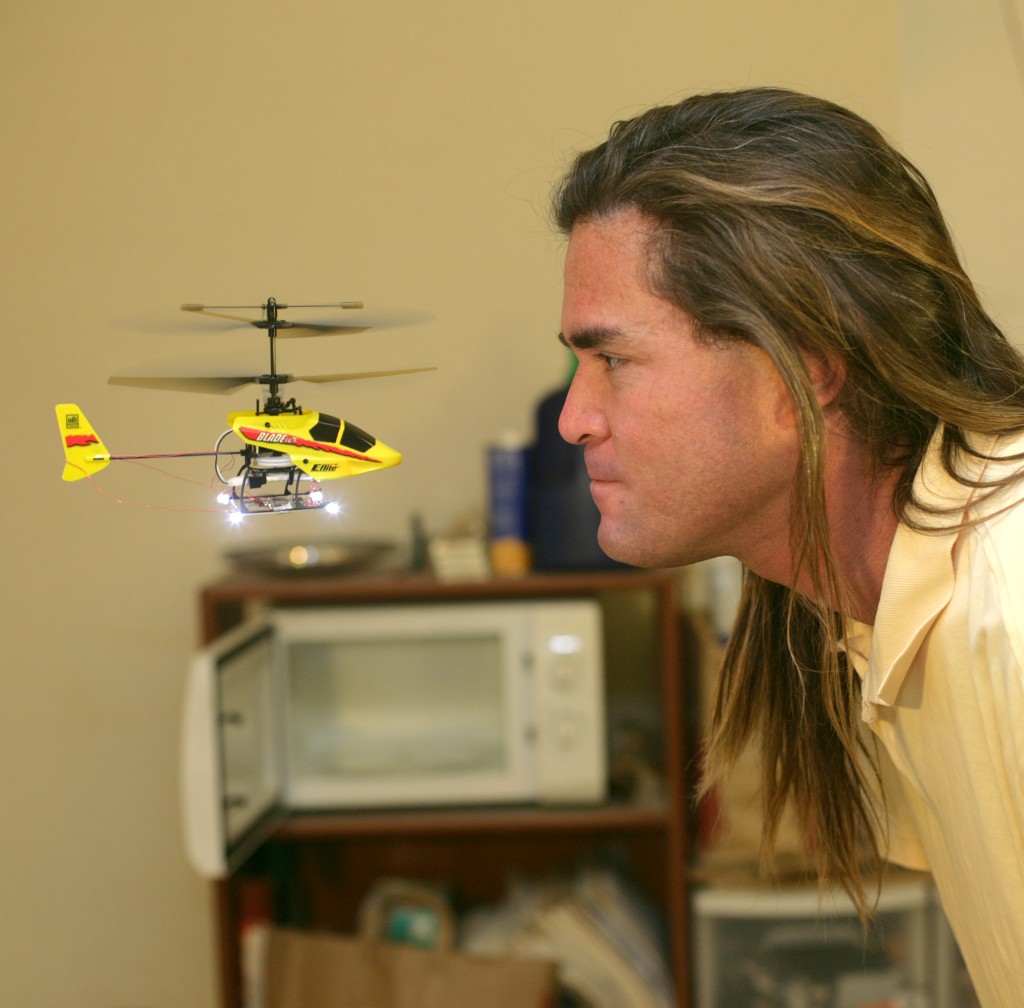
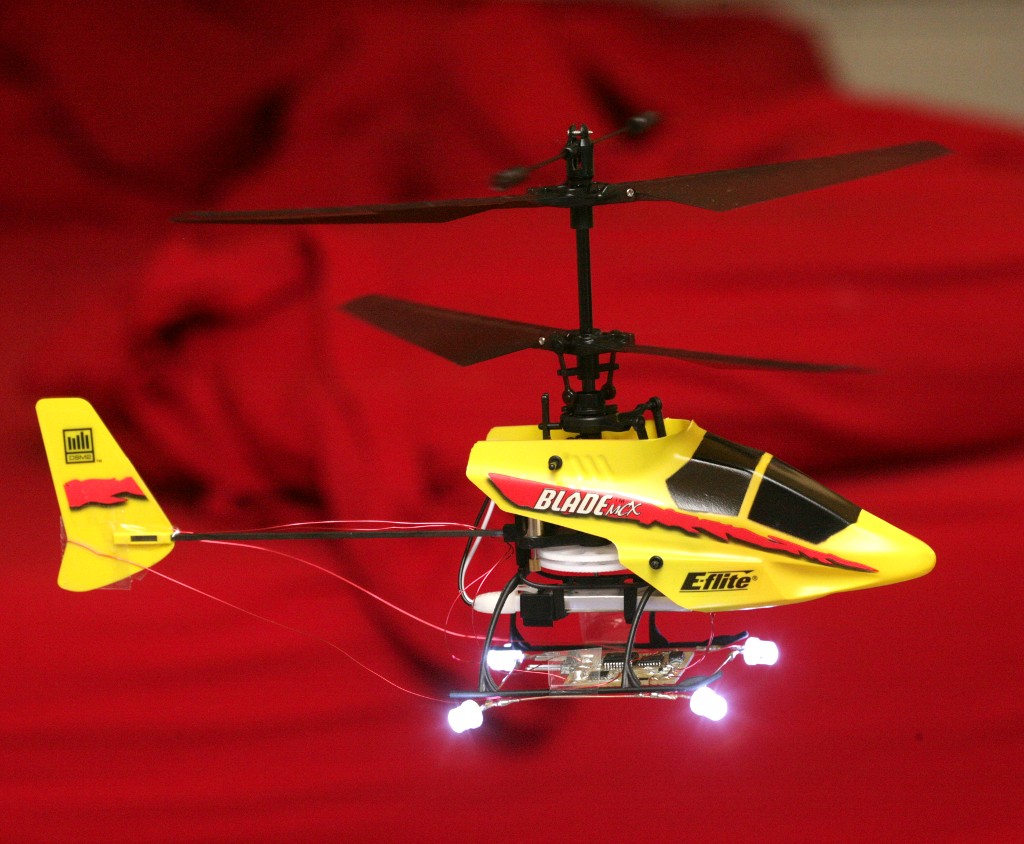
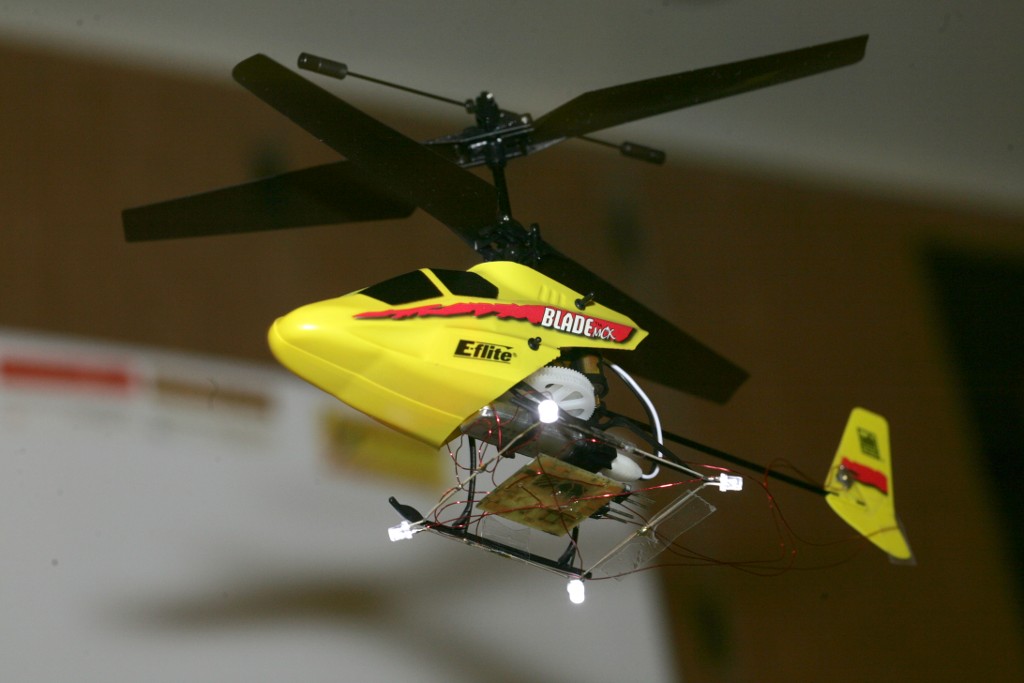
The Blade MCX being the most stable indoor flying thing ever invented buys most of the precision, but it still took some doing to get vision, sensors, & feedback good enough to keep it in the smallest box. The Blade MCX is 4 years old, but it had just the right combination of cyclic, flybar, & servos to be more stable than anything since.
The IMUs since then haven't achieved the same motion damping of the mechanical flybar. It's a mystery why the Blade CX2 wasn't as stable.
Got the last of the features on the tablet which were last done on the RC transmitter, years ago. Manely manual position control in autopilot mode. Rediscovered the ages old problem where velocity & direction can't be changed if a move is already in progress. It would have to stop moving & recalculate a new starting position of a new line to fly.
The algorithm was all part of a plan to make it fly in straight lines. Merely setting fixed velocities didn't make it fly in a straight line. It would need a much larger flying area for changing velocity to be practical. The war on straight lines was a long battle in 2008, comprising many blog posts.
As the tablet interface evolves, it's very confusing, with separate inputs for manual mode & autopilot mode.
The final leap in accuracy came from tapping the Blade MCX's integrated gyro to drastically improve the heading detection without increasing the component count.
Its heading is extremely stable, allowing its position tracking to be more stable than using the magnetometer alone. The improvement costs nothing, but would require more parts on copters with no analog gyro already installed.
That was purely the magnetometer without the gyro.
Another discovery with this system was pointing it 45' left of the cameras during calibration seems to be the optimum alignment for the cyclic phasing.
So far, these micro copters have proven the smallest indoor autopilot works, but what you want is a flying camera. Dreams of useful quality video from a monocopter were busted. The available cameras aren't fast enough. There were signs that they could be synchronized to the rotation by pausing the clock. The blurry images would then require a really fast wireless connection.
A camera on a micro copter would take serious investment in really fast, microscopic, wireless communication. All roads are leading not to building aircraft, but perfecting a camera & wireless communication.
There is a desire to put the autopilot on a ladybird or convert something big enough to fly a camera.
Entropy
Many years ago, a fake test pilot noted that averaged sensor data produced better flying than lowpass filtered sensor data. Lowpass filtering was the academic way of treating the data because it got rid of aliases.
The fake test pilot also noted that jittery servos produced better flying than perfectly timed servos.
In all these cases, the noisy unfiltered data had less latency than the filtered data & glitching the servo PWM around 50hz conveyed more data than their normal 50Hz update rate allowed. Since there were no data points at an alias frequency & with enough amplitude which could cause the aircraft to oscillate, the reduction in latency was a bigger win than the reduction in noise.
Now a camera system has 2 cameras, each running at 68fps, limited by clockcycles. They're not perfectly timed or synchronized, so an image from either camera is captured at 136 unique points in time. A new position is calculated when each of the 136 frames comes in. This allows slightly faster position updating than if the cameras shot at exactly the same 68 points in time, without requiring more horsepower.
The velocity calculation has only a 1/13 second delay, is pure noise, but gives a much tighter flight.
Anyways, the dual 68fps system uses 90% of the raspberry pi with the ground station on. Without the ground station, it uses only 60%. The RLE compression generated by the board cams takes a lot less horsepower to decompress than the JPEG compression from the webcams, but is made up for in the higher framerate.
The dual cameras on a single pan/tilt mount at 320x240 70fps is probably as good as a cost effective system can get. Better results could be had from 640x480 or higher resolution at 70fps. That would take FPGA design & something faster than a raspberry pi. Webcams max out at 640x480 30fps, but higher framerate has proven more important than higher resolution.
Baby Vicon busted
There was a delusion of having 2 cameras on separate pan/tilt mounts, to give very precise distance readings & eliminate servo wobble.
The problem became obvious, immediately after starting the calibration. The pointing direction of the servos can't be known precisely enough to get a distance from the angles of the cameras. The convergence angle needs to be more precisely known than any other angle to get a useful distance.
The cameras in a 2 eye mount have a fixed convergence which can be hard coded. The cameras in 1 eye per mount have variable convergence which must be deduced from the servo angles. That couldn't be known as accurately as hoped. The Hitec HS-311 is the tightest servo known, but it's still not accurate enough.
If the cameras were on different sides of the room, so they always converged at 90 degrees, the problem would be solved, but that would require having a 270 degree field of view with no lights that could interfere with machine vision. The cameras have to be close together & on the same side of the room to make the lighting practical.
Posted by Graham Dyer on January 17, 2013 at 7:30am
The OSD (On Screen Display) is an instrument that provides the pilot with navigation information helping him to conduct a safe and conscious FPV (First Person View) flight. The information are imposed on an image from on-board camera, giving more control over the RC model and facilitating safe return to base.
OSD displays all key information about model:
GPS position and time,
altitude and speed over ground in metric or imperial units,
course (CMG) and number of visible satellites,
distance and direction to base,
current, voltage and consumed energy for electric planes,
way-points near to plane.
OSD with autopilot it can display additional information about:
artificial horizon,
barometric altitude,
variometer (also provide acoustic vario signal),
magnetic heading (compass).
With OSD FPV flights are safer. Pilot knows where he is and know way to home even in unknown terrain. The OSD with artificial horizon allow to continue flight in conditions of reduced visibility, for example in the cloud or at night. It also works as user interface for configuring autopilot. It displays menu and allow to choose between many options using included keyboard (locally) or RC channel (remotely).
OSD supports PAL and NTSC standards. The system automatically detects transmission standard from on-board camera and adjusts the information system. In case of loss of the signal from the camera, OSD continues to generate in the video standard in which the camera worked, allowing you to complete the IFR flight according to the instruments
The UAV Autopilotis the safety part of FPV system. It offer IMU based stabilization of the plane in hard conditions, flight through the waypoints and automatic return to base in case of RC link lost. UAV Autopilot offer 3 flying modes activated with free RC channel:
Transparent mode (OFF), where signals from RC are redirected to servos
Stabilization mode (STAB), where flight is automatically stabilized. User using his RC set desired angles of pitch and roll ordering to the autopilot to keep them
Autonomous mode (AUTO), where autopilot continue flight to the next waypoint without user input.
Autopilot offer many mixers to allow wide choice of flying platform. Actually it support settings:
Posted by Gary McCray on January 16, 2013 at 9:00pm
Here is a picture of my little JVC Adixxion, replacement for my malfunctioning GoPro Black.
As you may know I published a BLOG of my experiences and trials and tribulations with the much vaunted GoPro Hero 3 Black.
Finally after much wasted time dealing with the GoPro Company sent it back for a refund I started searching for an alternative camera. I considered both the Sony Sport Cam and this little JVC Adixxion.
The Adixxion seemed much the better camera but was $350.00.
After Christmas I found an incredibly short lived deal for $99.00 and immediately purchased the Adixxion.
The overall experience with this camera for me has been the complete opposite of the experience I had dealing with the GoPro Camera and the GoPro Company.
Namely I am very happy with it.
Likes:
Size and form factor are better than the GoPro and even more so when the GoPro has its case on it.
Has standard mount base screw socket on side and bottom (and picture can be inverted so camera can be used upside down).
Has 1080P 30 fps and 720P 30 and 60 FPS and generally a better picture in daylight than GoPro.
Built in image stabilization definitely decreases multicopter vibration problems. Not in GoPro.
5x digital Zoom works without image degradation on 1080P due to large camera chip. Not in GoPro.
WiFi live preview actually works on IPad and with computer and with negligible delay (less than 1/2 second).
Much easier and more intuitive 6 button menu and navigation than 2 button GoPro.
Built in color LCD viewfinder.
Single battery life is better than the GoPro with the additional add on battery.
Nothing malfunctioning at all.
(You do need to do a firmware update from the JVC web site for the WiFi to work properly.
Dislikes (none major to me):
Night time video not as bright as GoPro.
Doesn't have all the fancy super high resolution video modes the Black had (of almost no interest to me anyway).
Although the IPad and PC based WiFi worked much much better than the GoPro, the Adixxion does not currently support direct connection to an Android so my Nexus 7 is not of use to me for WiFi at this time.
Basically a lot more to like than to complain about, really glad I got it.
Haven't tried the WiFi live preview while flying yet, but will report back on the results of that, live preview actually does work well enough to use it for FPV so long as the camera WiFi and the RC signals do not interfere with each other.
GoPro should take a lot of cues from this camera for their future efforts.
If they get the bugs out of the Black it will be a cool camera, but right now, this is a more useful camera to our RC community in almost every way.
Even if you have to pay full price, you won't be unhappy with this camera, but if you can find any kind of deal at all (Amazon currently $250.00) you'll make the GoPro owners envious.
We moved APM development from subversion to git quite a while ago, and it was a big improvement, but we've been noticing quite a few rough edges to the git support on code.google.com. Meanwhile, github.com has been rapidly developing as a great platform for projects like ours, with a really nice workflow and great issue tracking. One of the big advantages of git is that it's easy to move to a new host, so we decided to move APM development to github.com. The new master repository is at https://github.com/diydrones/ardupilot and the old repository on code.google.com has been frozen with no new commits.
One of the big advantages of github is a nicer system for people to submit patches for inclusion in the master tree. On github this is called a "pull request" and it is explained nicely in the documentation. I'd encourage all APM developers to have a look through the github documentation.
The pull request system also has the advantage that it is much easier for everyone to see what patches are pending review and inclusion in the tree.
Another major change is that we've reduced the number of people that have direct access to pushing new code in the master branch. The way we worked previously was that if you submitted a couple of good patches then you would be given direct push access for future work. That sometimes led to patches going in that didn't really have adequate review, but it was the least painful way to do things with the code.google.com system. Given the nice pull request interface on github we're trying a different approach, where nearly all developers, even people who have been contributing for years, will get their code into the tree via a pull request. Only 3 developers (Pat, Randy and myself) currently have access to accept pull requests, which we hope will lead to a bit more code review and higher quality code. We'll have to see how it works out over the coming months!
Issues now tracked on github
As part of the move to github we've adopted the github issue tracking system. This integrates very nicely with git commits, so we can for example add "fixes issue #7" in a commit message and the issue automatically updates to note the fix.
One tricky decision was whether we import over the old issues from code.google.com to the new system. After much discussion we decided not to, as we'd been so slack in keeping the old issue system well maintained that most of the issues were not relevant any more. There are some important ones in there though, so if your favourite issue has been lost then please post it into the new system (after checking if its has already been dealt it!).
New developer mailing lists
Another big change is the creation of two new mailing lists, drones-discuss and drones-devel. In the past we've had a private developer mailing list, which Chris invited people to join when they made a contribution to the code. That private list really originated from the time where there was a much smaller group of APM developers, and there is no good reason why it was still private, so we've created the two new lists as public for anyone to join, and shutdown the old private list. So if you want to get involved in APM development or just want to lurk in the developer discussions then please join the drones-discuss list!
Please don't post to the drones-devel list though - this is just for coordinating releases. It is a public list, so anyone can join and listen in, but we want to keep the noise on it low if we can.
We'd also like to emphasize that these lists are not the place for help requests - they are meant for development discussions only, such as discussing new features as they are being developed. The diydrones forums are still the right place for user discussion.
AP_HAL - the Hardware Abstraction Layer
The biggest change in the APM code itself comes from the new HAL (Hardware Abstraction Layer) pioneered by Pat Hickey. If you have a look at the current git tree then you'll see some new directories under libraries that start with AP_HAL. The AP_HAL directory itself defines the new API that abstracts out the differences between the various autopilot board types we support. Then we have a separate AP_HAL_$board directory for each board. The code for the APM1 and APM2, which are based on AVR CPUs, is in AP_HAL_AVR, but you may notice there are some other board types in there as well.
The main motivation for the AP_HAL work was to give us a clean way to support the new PX4 autopilot, which is based on a 32 bit ARM core, but it does a lot more than that. It gives us a very nice way to make all of the APM vehicle types portable to a lot more types of hardware with very little work.
In our code you will notice that we have a new 'hal' object which contains methods to access the hardware specific functions. For example, to set IO pin 17 as an output pin we would now do this:
hal.gpio->pinMode(17, GPIO_OUTPUT);
the HAL API replaces the Arduino specific calls which we used previously, and gives us a lot of flexibility to implement all the board specific functions in different ways for each board.
We think that the ArduCopter 2.9 release which is in its final release candidate now will be the last "pre-HAL" release. The master branch is fully converted to AP_HAL, and has all of the features from 2.9 merged in. It is also flying very well!
One thing to watch out for is that if you are building the APM code using the Arduino development IDE then you will need a special patched version to support the new AP_HAL based code. We've released zip files of the patched IDE for Windows and MacOS. If you build on Linux then please use the 'make' command.
PX4 support
The big test of the new AP_HAL system was the PX4 port. We've had the PX4 hardware for months now, but the software port was lagging behind badly. It was really quite tricky to port the code across to the new NuttX RTOS based platform cleanly. With the introduction of the AP_HAL system it was incredibly easy, and just a few days after we got AP_HAL into the tree we had our first successful flights of both ArduPlane and ArduCopter on PX4 boards on the same day!
So if you have a PX4 then it is now possible to use it with any of the 3 vehicle types we support (copter, plane and rover). There are still some interesting issues with how to plug in servos and radios, but if you don't mind a bit of creative wiring then it does work. We will be posting some instructions soon.
I'd also encourage you to have a good look around the PX4 website. Lorenz and the whole PX4 development team have done a fantastic job with this board, creating something that gives us an incredible scope for future development. The work they have done on the sensor drivers and ORB integration is top notch, and I found it really nice to work with the system they have created in doing the APM port.
If you want to build the APM code for PX4 yourself then it's worth noting that one of the things we don't have yet is a good way to build the APM code for PX4 on Windows - it's building fine on MacOS and Linux, but the Windows build system still isn't ready. We'll post an update when we have that working. The core PX4 code does build on Windows with Eclipse, but we just haven't done the extra bits needed to allow the APM code to build within that development environment yet.
Meanwhile, if you want to build on MacOS or Linux then you'll need the PX4 firmware tree somewhere on your system, and you need to use the "make px4", "make px4-clean" and "make px4-upload" commands.
There are still some missing features on PX4, for example we don't yet have analog inputs, so no airspeed sensor on ArduPlane, but we'll get that sort of thing fixed up pretty quickly I think. Even so, I've done around a dozen flights with my PX4 equipped SkyFun so far, and it is flying very nicely! Both Pat and Randy have flown ArduCopter on PX4 as well, and both found it flew very well. Here is a video showing Pat flying the master git branch on PX4
Note that the port to PX4 doesn't mean we are abandoning the APM1 and APM2. All the APM code builds on all 3 platforms (plus the 'SITL' simulator platform), and our plan is to continue to support the APM1 and APM2 for as long as we can. What we expect to happen is that some new CPU and memory intensive features will only be enabled when you build for PX4, where we have so much more CPU and memory available.
Happy Flying!
I hope the above gives everyone a bit better idea of what has been happening. The pace of development has been very high over the last month, and if you've noticed that some of us have been a bit quiet on the forums then this is why. Over a thousand patches have gone into our git tree in the last 2 months to make all this possible, so we've actually been quite busy!
PrimeSense's 3D sensor, which is what's inside the Microsoft Kinect, hasrevolutionized vision for very cheap and very expensive robots. That's not what it was supposed to do: it was supposed to help lazy gamers get off their couches and jump around a little bit. PrimeSense is still very focused on marketable consumer applications with the next generation of the 3D sensor, called Capri, but we're more interested in what it'll do for our robots. At CES last week, we got some hands-on time with Capri, and we have some details for you.
Engineers are familiar with the idea of being able to pick two of the following: faster, better, cheaper. PrimeSense has instead gone with much smaller, probably cheaper (although we're not sure), and arguably just a little bit worse when it comes to performance. The overall size of the sensor has shrunk by a factor of 10, which is really the big news here, and otherwise, most of the specs have stayed the same. Here's what you'll get with Capri:
Field of View 57.5×45
Range 0.8m-3.5m
VGA depth map (640×480)
USB 2.0 powered
Standard off the shelf components
OpenNI compliant
PrimeSense told us that their focus was to "maintain" performance while focusing on miniaturization and cost reduction. And performance is nearly the same, with the exception of there being no RGB camera. This isn't great news for robotics, since having an integrated color camera is a nice feature, but we have to remember that we're just piggybacking on the fact that PrimeSense is really trying to get into the mobile market: Capri is small enough that it'll be able to fit into tablets (and eventually smartphones), and for pure 3D sensing, an RGB camera just adds cost and complexity that's unnecessary for the application. It's tough that robotics isn't yet a big enough market to allow us to dictate features for something like Capri, but as long as we can adapt this sort of technology to make robots cheaper and more capable, we'll get there.
My short term goal for this aircraft is to have the RQ-11 Kit fully assembled and operating as an ROA (Remotely Operated Aircraft). My overall goal though is to buy a ardupilot from diydrones and make it into a fully functioning UAV. Learning programming through my college classes I want to create a fully functioning UAV that has a flight time of around an hour or more that could be used to track animals and photograph agriculture.
What I have left to do:
Add digital camo to parts of the wing
Add servos and connect wire cables to rudder and elevator
Possibly add ardupilot
Possibly add FPV flying feature
I'm looking for suggestions on any mods or upgrades I can do to this RQ-11. I hope the videos are enjoyable and educational.
Part 4 will include fully operating plane with other possible surprise DIY Mods.
As many might already know that we have been selling the PX4 Autopilot along with AR.Drone Empty Frames for a while now, but a bunch of customers suggested we sell the two together in a kit. So we now sell ARPX4 Drone kits(for a lack of a creative name) for a lower price than the individual parts. This includes the PX4 FMU, PX4IOAR boards, along with the ARdrone frame with motors. A deans connector is also included for easy battery connection! (if you prefer XT60, we have an adaptor)
The original foam hull (indoor and outdoor) is also included so if you cut away some of the foam you can easily put it back on for added protection when you are flying around. Its a great quadcopter kit for anyone interested in developing for the PX4 as its super simple to build and repair.
You can find out more information at our shop. If you have any questions, please let me know!
Fabio Varesano, the man behind FreeIMU and Femtoduino, died of a sudden heart attack at the much too young age of 28. The RC helicopter/plane/drone and HCI/physical computing communities lose a great mind with Fabio‘s passing.
There is talk on the Dangerous Prototypes forum of continuing the development of FreeIMU, a project it seems Fabio worked on alone. We’d love to see someone pick up the reigns of the FreeIMU project, hopefully after doing a run of the current hardware and donating the proceeds to Fabio‘s family.
Soon I will implement an APM that will hopefully help me calibrate HF radar antennas. HF radars are used to measure ocean surface currents in real time. Check it out!
We had a dry day today so I thought I would try out the GoPro Hero 2 I got for Christmas. All went well until I accidentally hit the switch for Simple mode without realizing it. Camera mount popped off and was fine, and I lost one prop nut. Could have been lots worse. Let this be a lesson...
Posted by Ellison Chan on January 13, 2013 at 9:30am
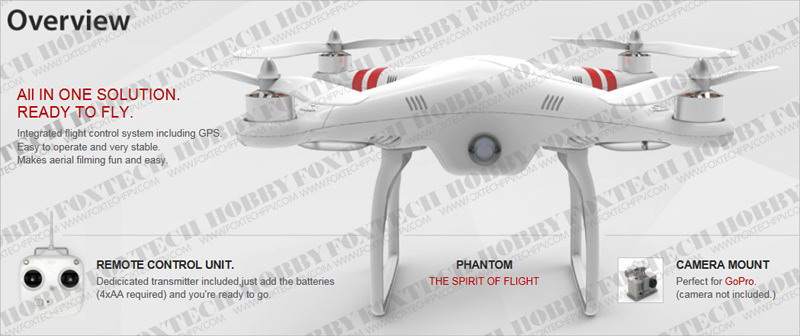
So, it's an actual real product and not just pretty pictures. Nice plastic wrapping around what I suspect is just a standard quad. I like the props. They look like normal airplane props.